VCF 9.1 – What’s New? Management Services and Licensing
VCF Management Services
The VCF 9.0 Identity Broker cluster started the trend towards moving VCF Management Services away from dedicated appliance VMs to containerized services running on a managed k8s cluster.
With VCF 9.1 this is now being expanded further with the VCF Management Services Cluster, which is now a mandatory requirement for all VCF Deployments.
The VCF Management Services Cluster is deployed during bring-up for greenfield environments, or deployed as part of the upgrade process to VCF 9.1.
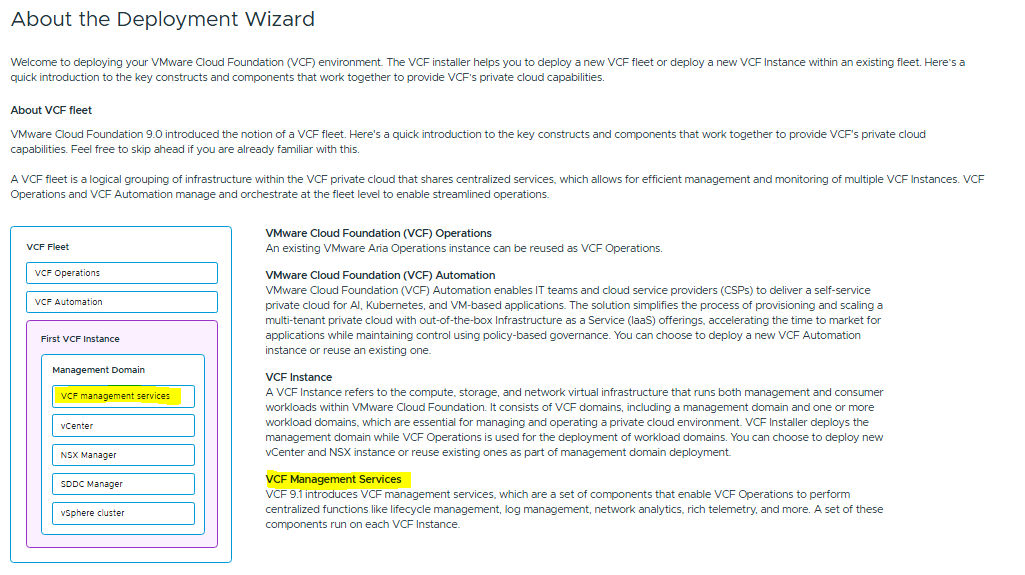
Networking requirements are as follows. We need a minimum of 12 contiguous IP addresses for the cluster worker nodes, and 4 FQDNs for the cluster services.
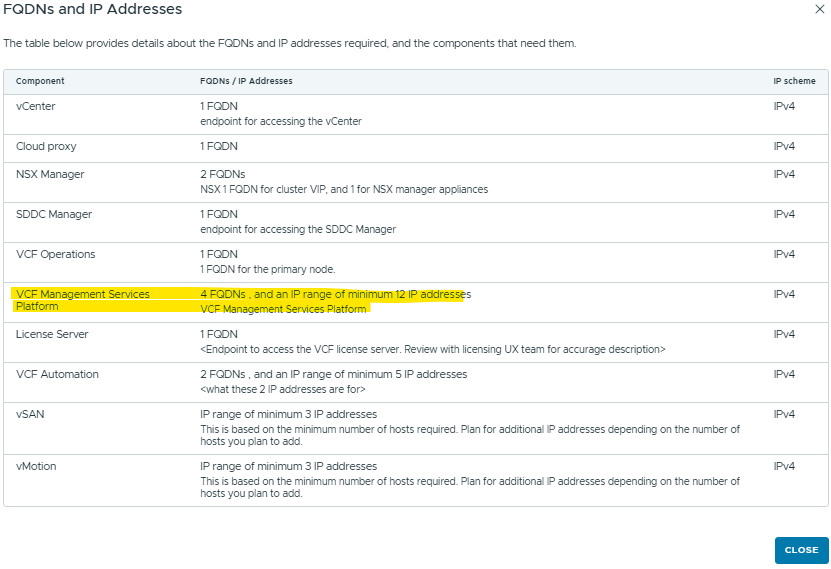
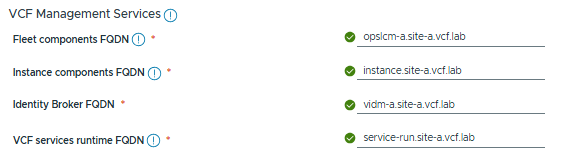
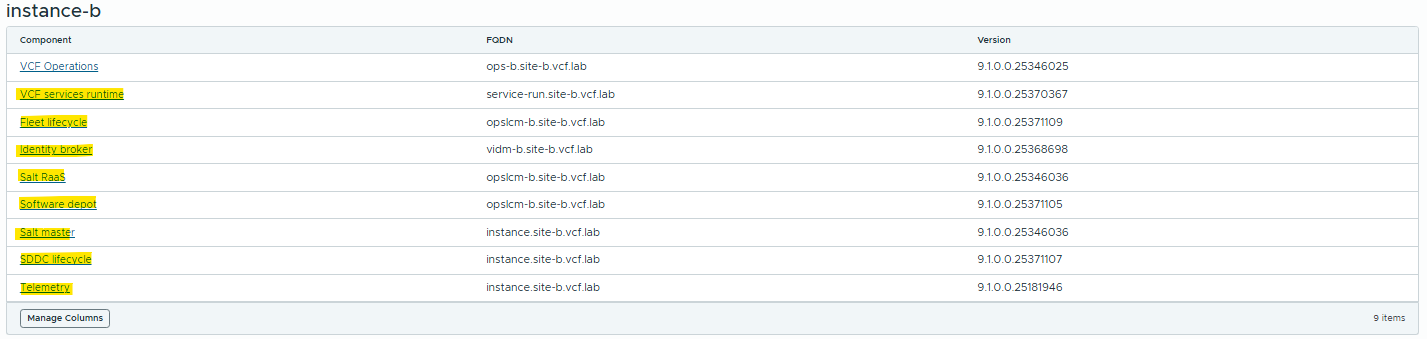
The services cluster now hosts the following services:
vIDB – VMware Identity Broker. After upgrading this to 9.1, it will be merged into the VCF Management Services Cluster, and the old vIDB cluster will be shut down.
Software Depot – we no-longer have multiple products hosting their own software repos (NSX/vCenter/SDDC-M etc.). This centralized Software Depot will cover all updates for all components.
VCF Lifecycle Manager – Previous to VCF 9.1, this was a separate appliance. The upgrade to VCF Operations 9.1 will decommission the old Lifecycle Manager VM in preparation for migration into the services cluster.
SaltStack – This is VMware’s Configuration Management tool, which is now deployed by default. This is similar to Terraform and other automation products that use declarative states for configuration management.
VCF/Aria Operations for Logs – This now runs under the services cluster, instead of a dedicated vRLI cluster.
There will likely be more features coming in future, so keep an eye out.
There’s no need to learn k8s or interact with this cluster directly, it’s all managed via VCF Operations and Lifecycle.
VCF Licensing
So after all this talk about how VCF 9.1 is reducing its Management VM sprawl, we have a new VM requirement!

I’m guessing this is for tamper-proof security purposes, but this appliance is very lightweight – 2 vCPU and 4GB RAM.
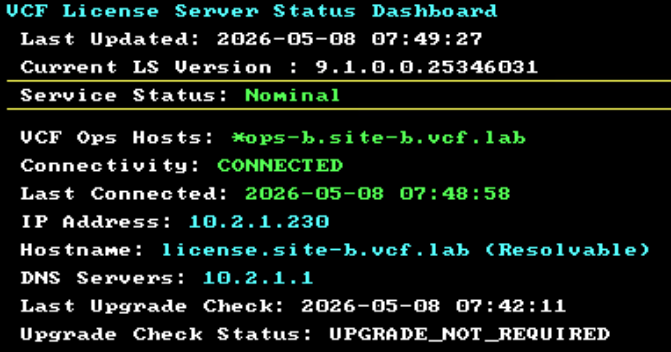
The VM Console doesn’t give much away – there’s no way to log into this, and it’s entirely self managed.
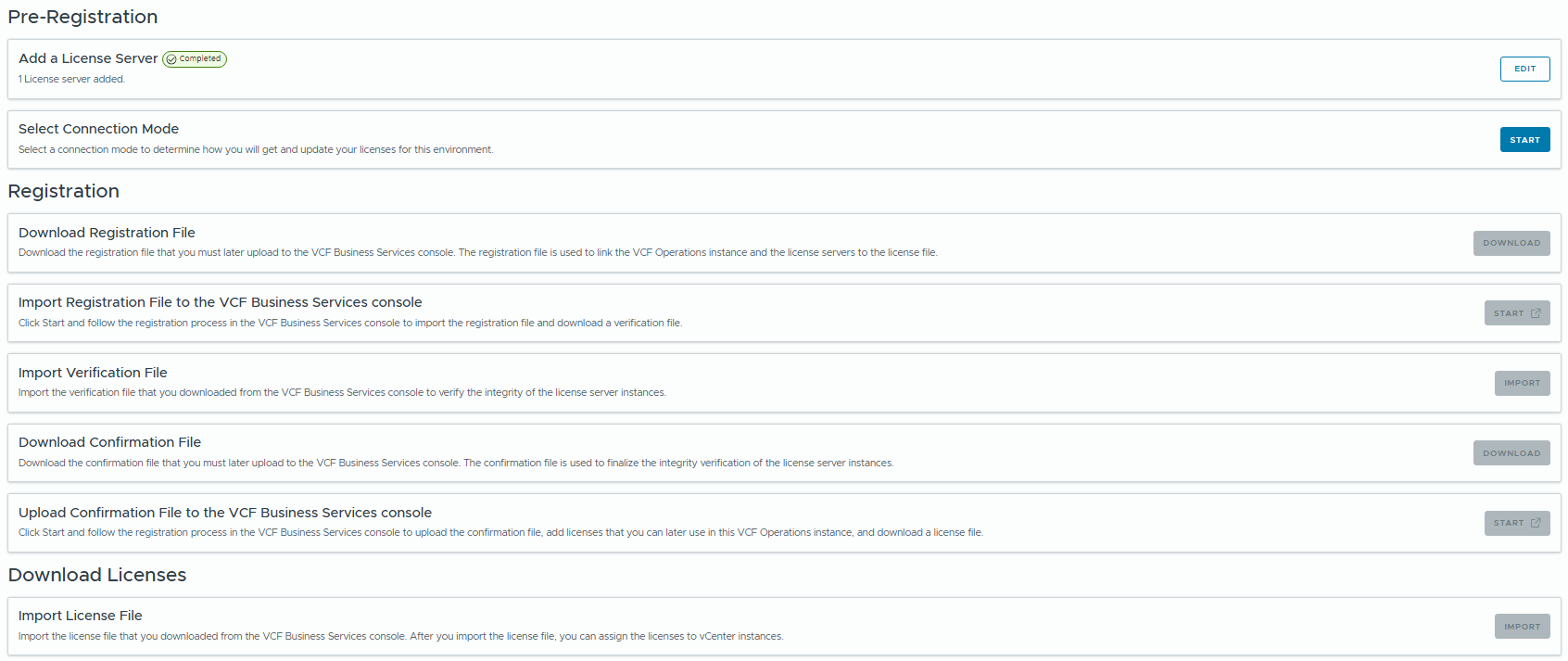
The offline registration process has also changed slightly.
In VCF 9.0 we had a 2-step process to upload a registration file to the VCF Business Services Console, then download the license to import to VCF Ops.
The process has changed slightly, it’s now a 4-step process to register the fleet, download the verification, then upload the usage file, and download the confirmation.
This is only necessary for Offline Mode (Dark Site), with online registration mode this process is automated.
In upcoming posts I’ll be covering new features of other components such as VCF Operations, Operations for Logs and other VCF 9.1 content so stay tuned!