VCF 9.1 – Upgrade Process from VCF 9.0
In this post, I’ll show the Upgrade process from VCF 9.0.2 to VCF 9.1.
*Note: Screenshots are from a Beta version, GA may differ slightly.
The overview for this process is as follows:
1: Upgrade VCF Operations
2: Upgrade SDDC Manager
3: Deploy the Services Cluster with SDDC Manager
4: Upgrade Management Components
5: Upgrade core Management Domain Components (vCenter/NSX/ESX)
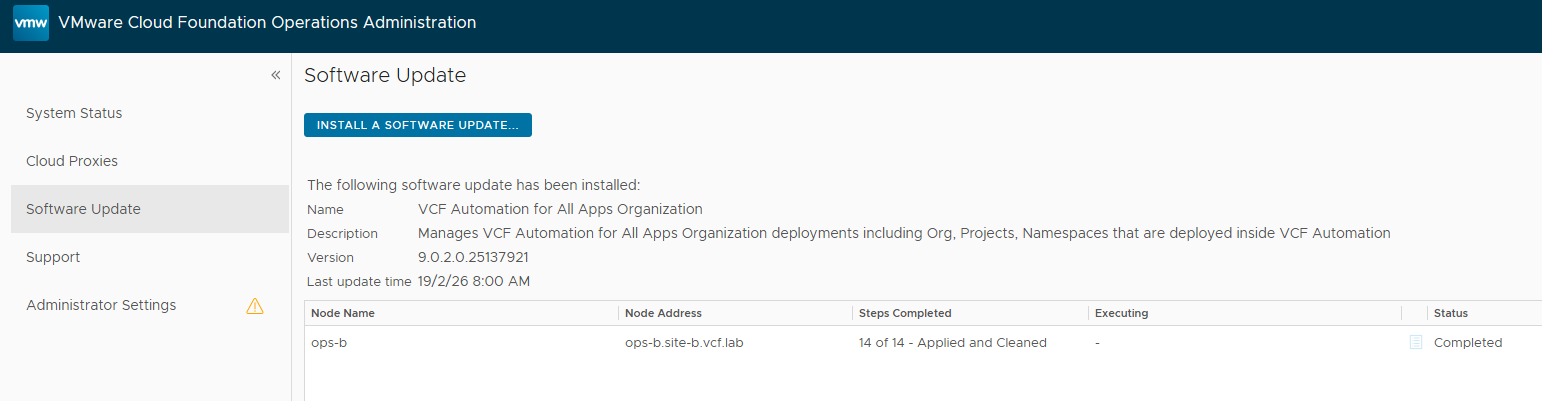
First up, we’ll be upgrading VCF Operations (out of band). Browse to the VCF Ops /admin url, log in and go to “Software Updates”. Usually you’ll go through the APUAT process first, but since this is a greenfield test-lab with no custom content we’ll be taking the express route.
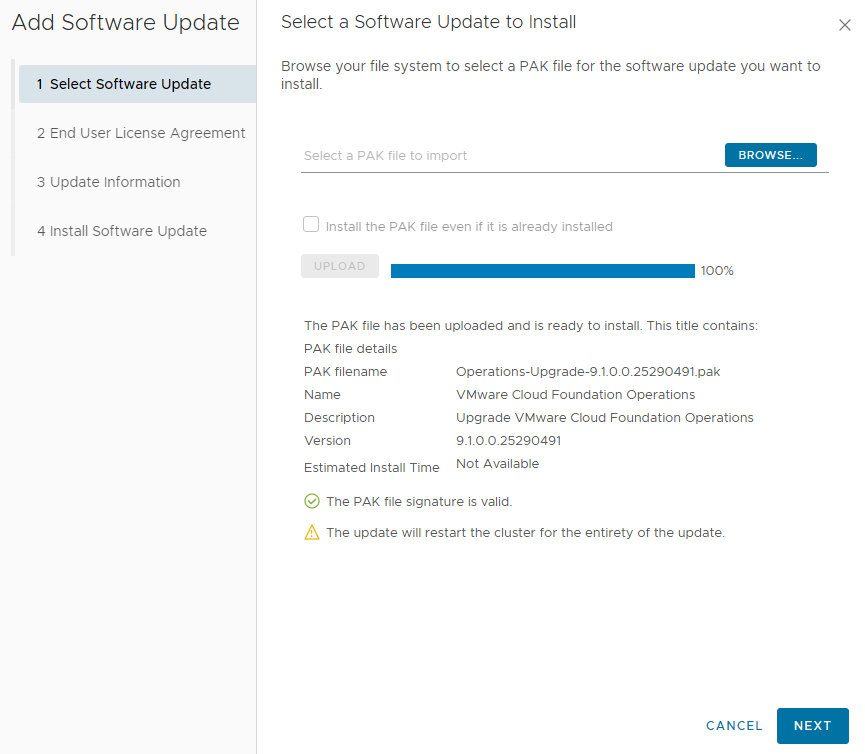
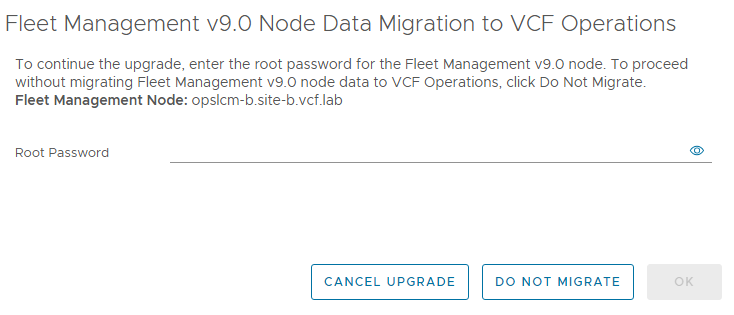
Click through to trigger the upgrade. We’ll be prompted to provide the password for the Fleet Management VM as part of this upgrade.
When the Ops upgrade completes, we’ll see that the LCM/Lifecycle VM has been shut down in preparation for the migration to the services cluster.
Now we can browse to the VCF Ops Lifecycle page again, and we get a splash screen to deploy the VCF Management Services cluster. But before we can do that, we’ll need to upgrade SDDC Manager.
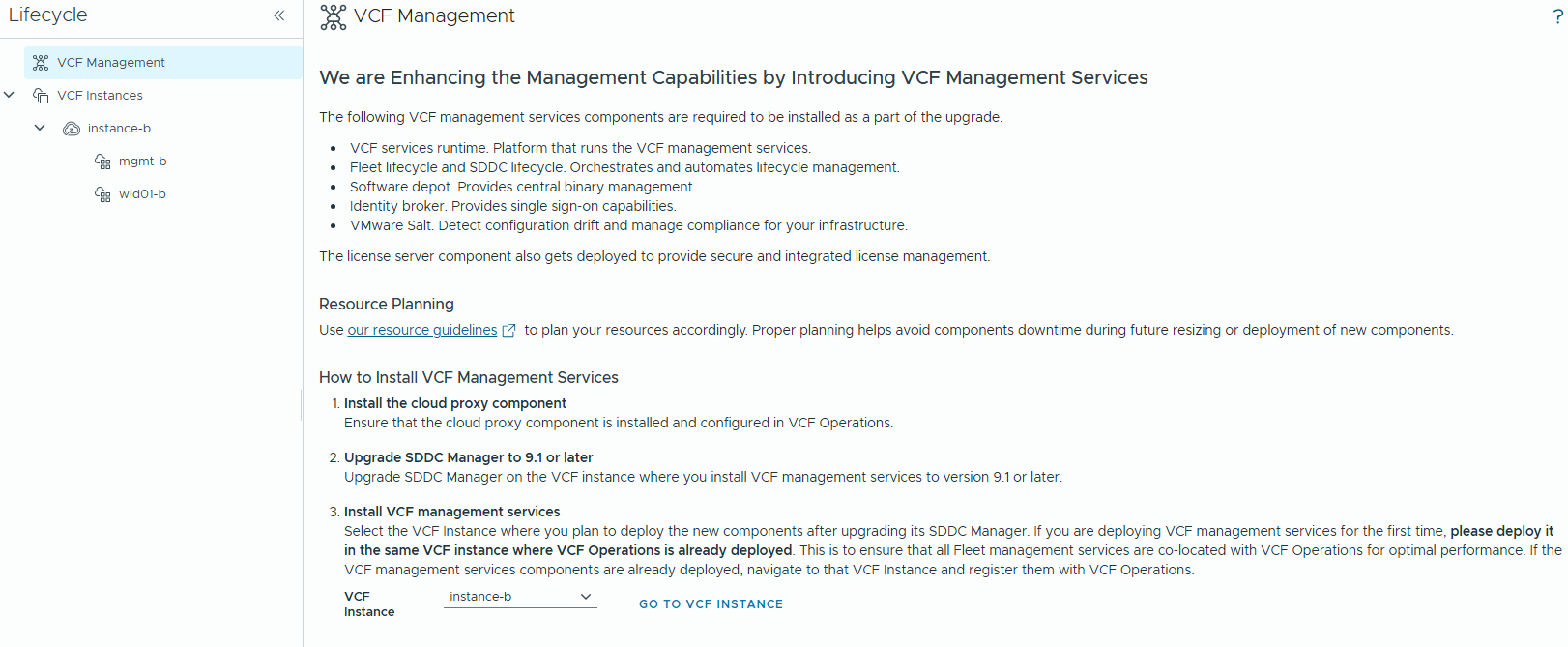
We’ll browse to the legacy SDDC Manager web interface to kick off that upgrade, just like the VCF 5.x and earlier olden days.
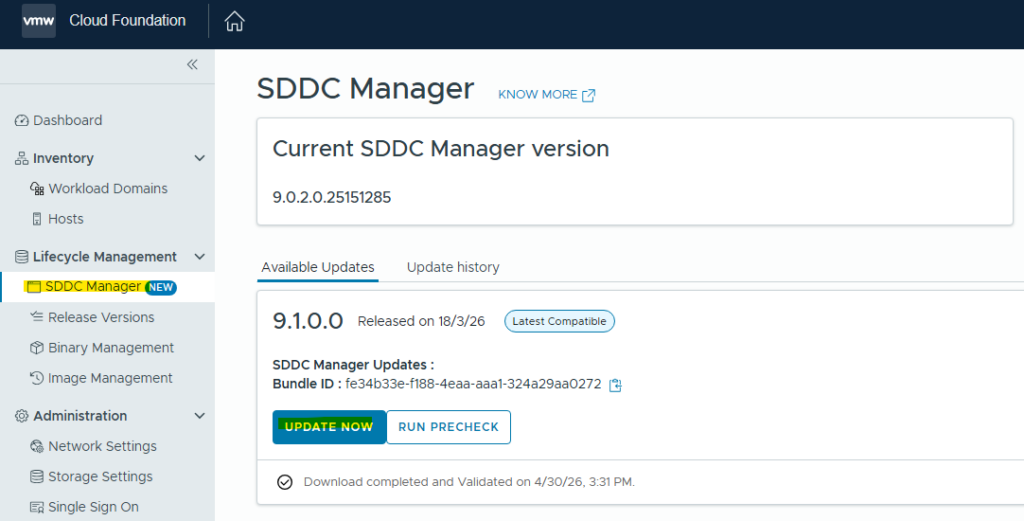
We’ll see the familiar SDDC Manager upgrade splash screen.
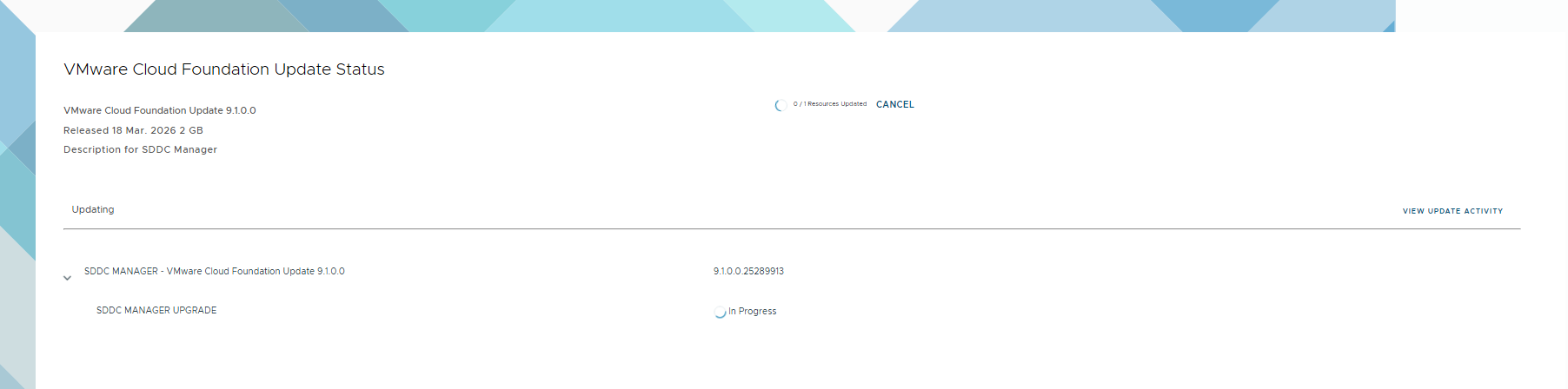
When the upgrade completes, browse back to Fleet Management / Lifecycle – if you have multiple instances, select the one that’s hosting the fleet components.
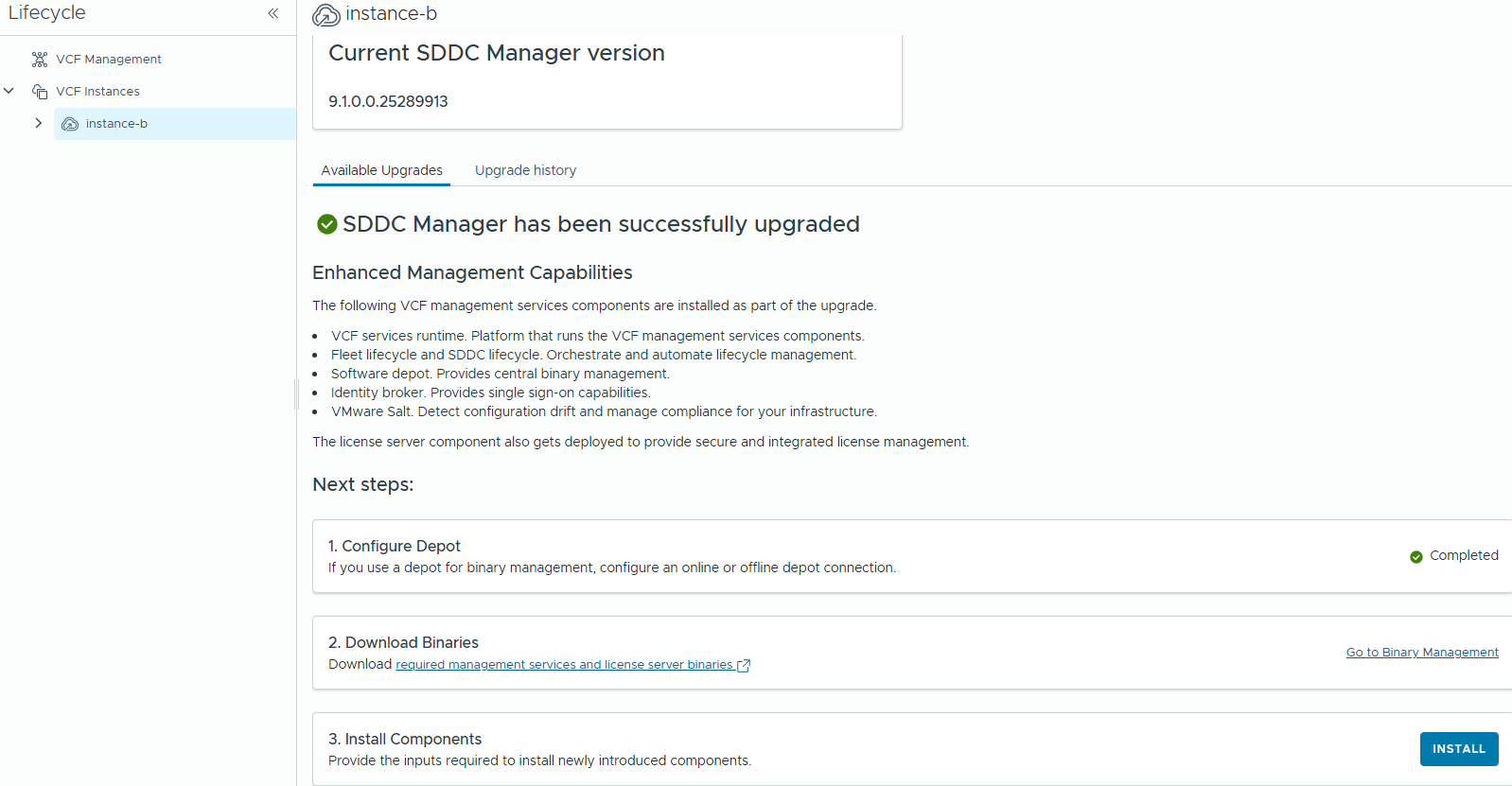
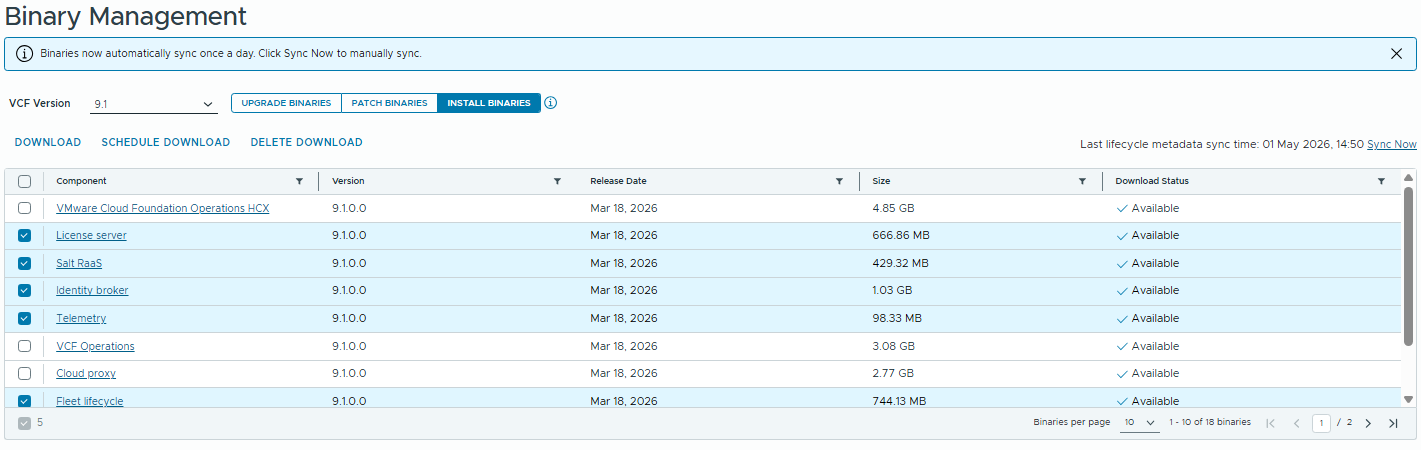
Click on the “Go to Binary Management” link, and we’ll download all the components for the services cluster.
Now we can click on the “3. Install Components” link to deploy the services cluster & licensing VM.
We’ll be prompted to connect to the Aria Operations instance, so enter the FQDN and Admin password. Then you’ll be presented with the IP/FQDN prompts for the new components.
Note: The services runtime CIDR is a little confusing here, and different to the greenfield installer. For gf we can supply an IP range, but when deploying post-upgrade we must specify an IP Pool using CIDR notation if using the GUI (an IP Range can be specified instead if using the API to deploy the services cluster).
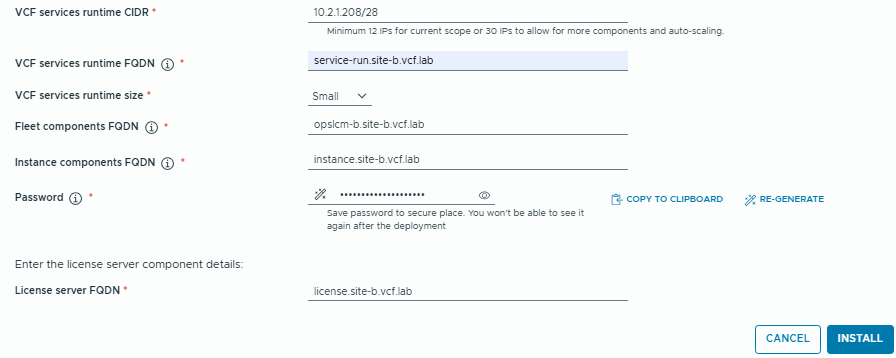
As I’m doing this upgrade on a 9.0.2 Holodeck, I’ll need to create some DNS entries for these services. This step will likely be unnecessary when Holodeck 9.1 is released.
Set-HoloDeckDNSConfig -DNSRecord "10.2.1.230 license.site-b.vcf.lab"
Set-HoloDeckDNSConfig -DNSRecord "10.2.1.231 service-run.site-b.vcf.lab"
Set-HoloDeckDNSConfig -DNSRecord "10.2.1.232 auto-run.site-b.vcf.lab"
Set-HoloDeckDNSConfig -DNSRecord "10.2.1.233 instance.site-b.vcf.lab"
When the deployment kicks off, we’ll see a temporary bootstrap VM deployed, which will bring-up the Services Cluster. A lightweight Licensing VM will also be deployed.
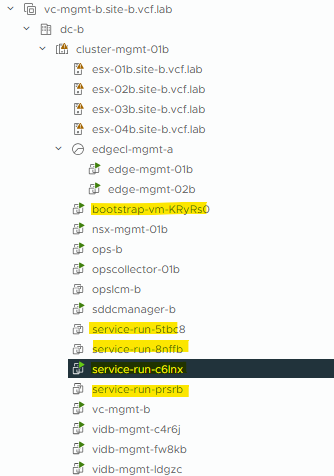
Note: If VMware Identity Broker (vIDB) is already deployed, it will not be redeployed into the Services Cluster.
If vIDB does not already exist, then it will be deployed into the Services Cluster.
I’ve already got vIDB in this test lab, so when the Services Cluster is deployed I’ll need to go through the vIDB Upgrade process.
Next up, the vIDB Upgrade. Browse to VCF Management / Upgrade and run the Pre-Check. When it completes successfully we can proceed with upgrade.
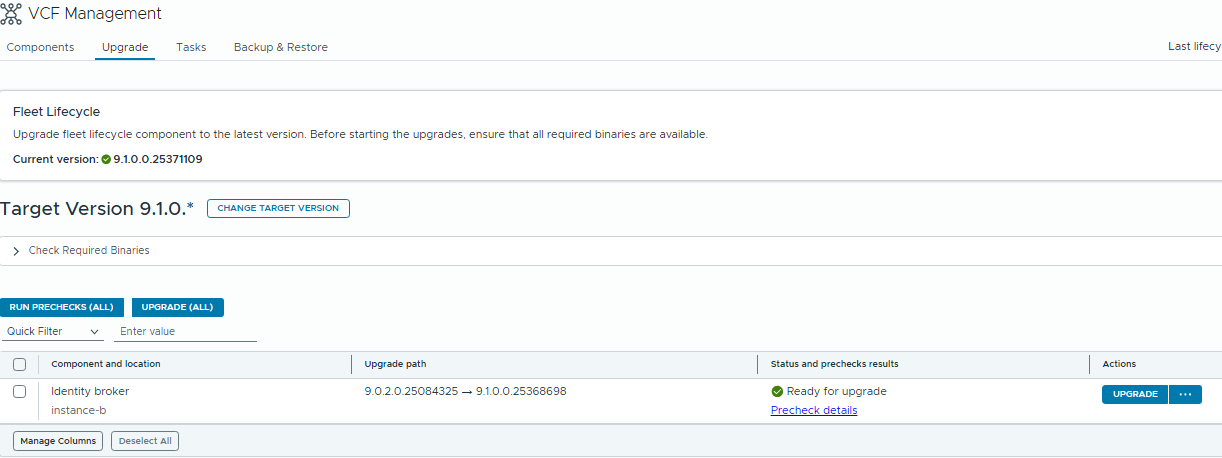
As part of this process, the vIDB service will be migrated into the Services Cluster and the old vIDB cluster will be shut down.
In my environment, the Services Cluster was also scaled-up as part of this upgrade but that might be capacity/environment dependant.
If you have other Management components like VCF Automation, Operations for Networks, Operations for Logs etc. they can now be upgraded through the VCF Lifecycle service.
Now we can get onto the core components. Browse to Lifecycle / Instances / the Instance we are upgrading:
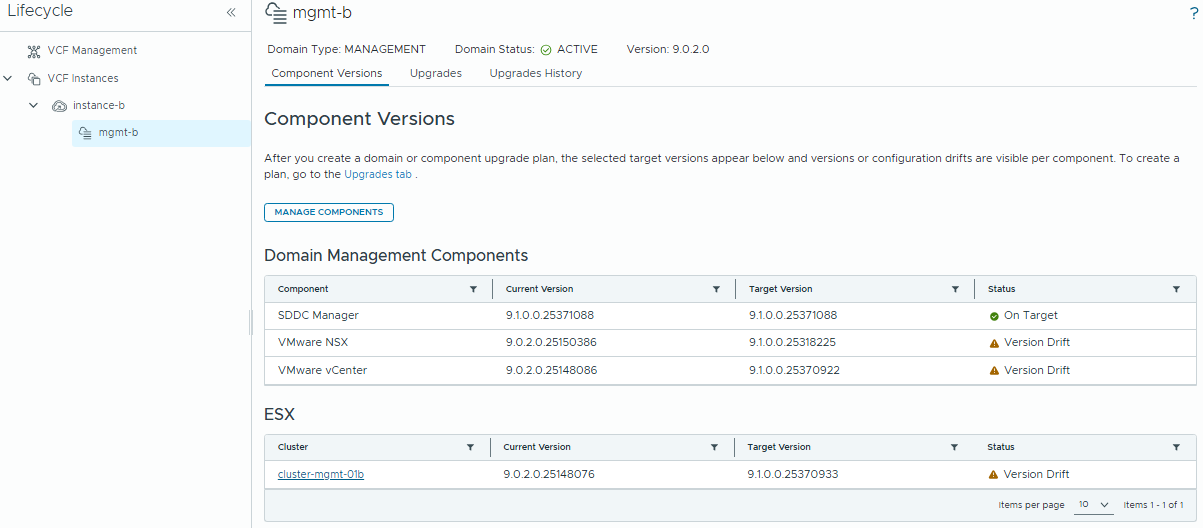
From now onward, it’s pretty much the same process as older VCF versions, but the screens look a little different.
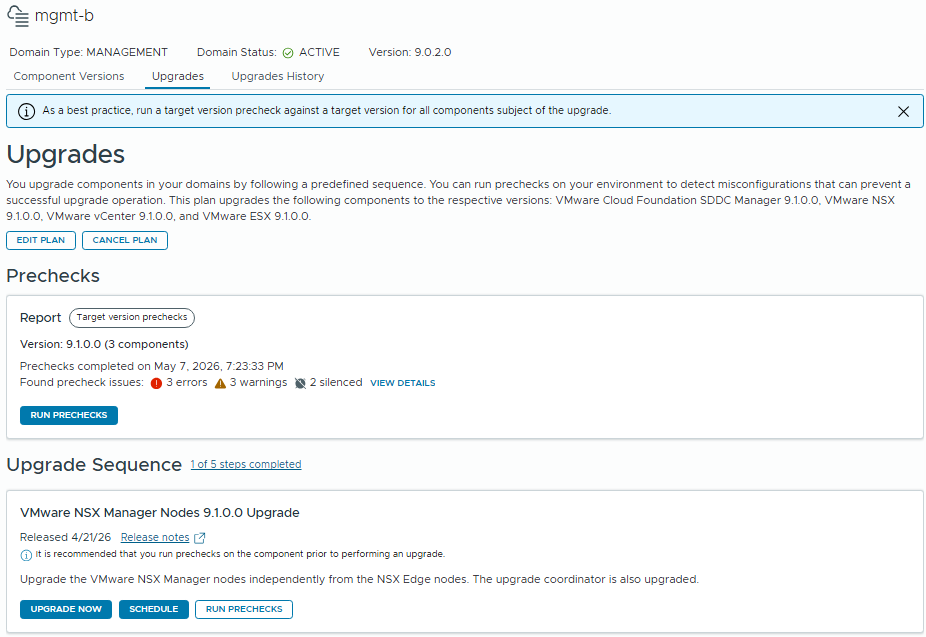
Click to the “Upgrades” tab, and run the pre-checks. Resolve any errors, then start working through the Upgrade Sequence.
The Upgrade Sequence has changed slightly – NSX Manager cluster will be upgraded first, the NSX Host bits are now bundled with the ESX Upgrade, and the NSX Edge clusters will be the last component.
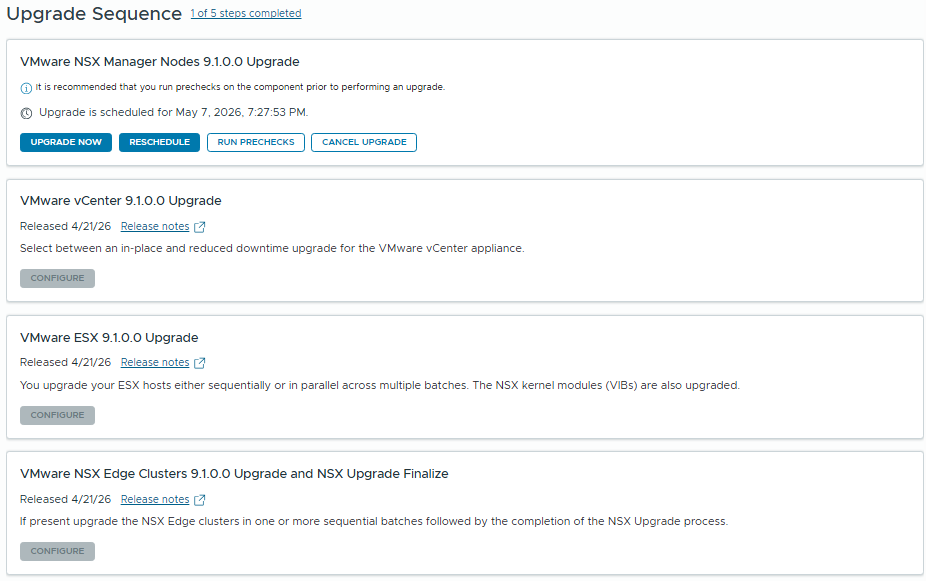
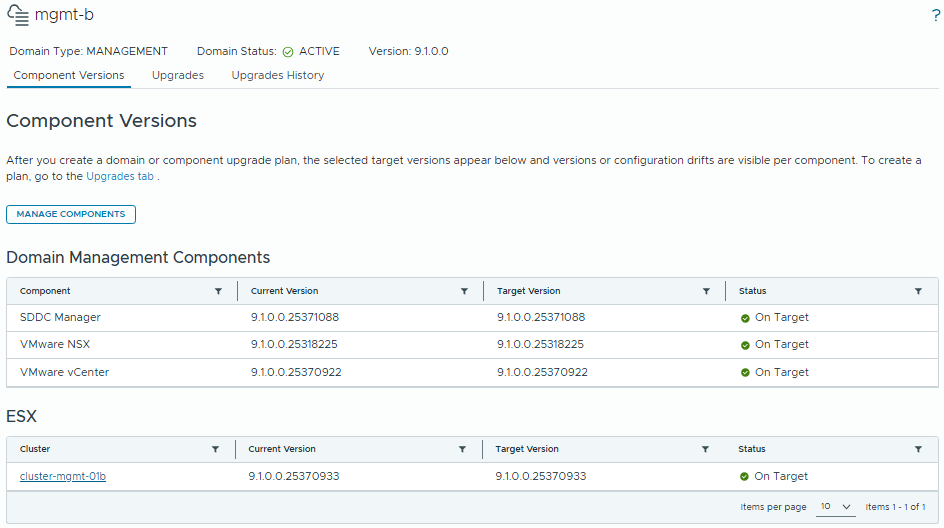
Once we’ve worked through all the components, we’re done! All components are now on 9.1.0.0
I’m planning a series of posts covering new VCF 9.1 features so stay tuned!