VCF 9.1 Installer – What’s New?
With the release of VCF 9.1, we have some new features and changes with the Installer & Deployment Wizard that I’ll cover in this post.
First up – we’ve got a lot of new components in the Depot for the VCF Deployment.
**Note: Screenshots have been taken from VCF 9.1 Beta. The GA version may differ slightly.
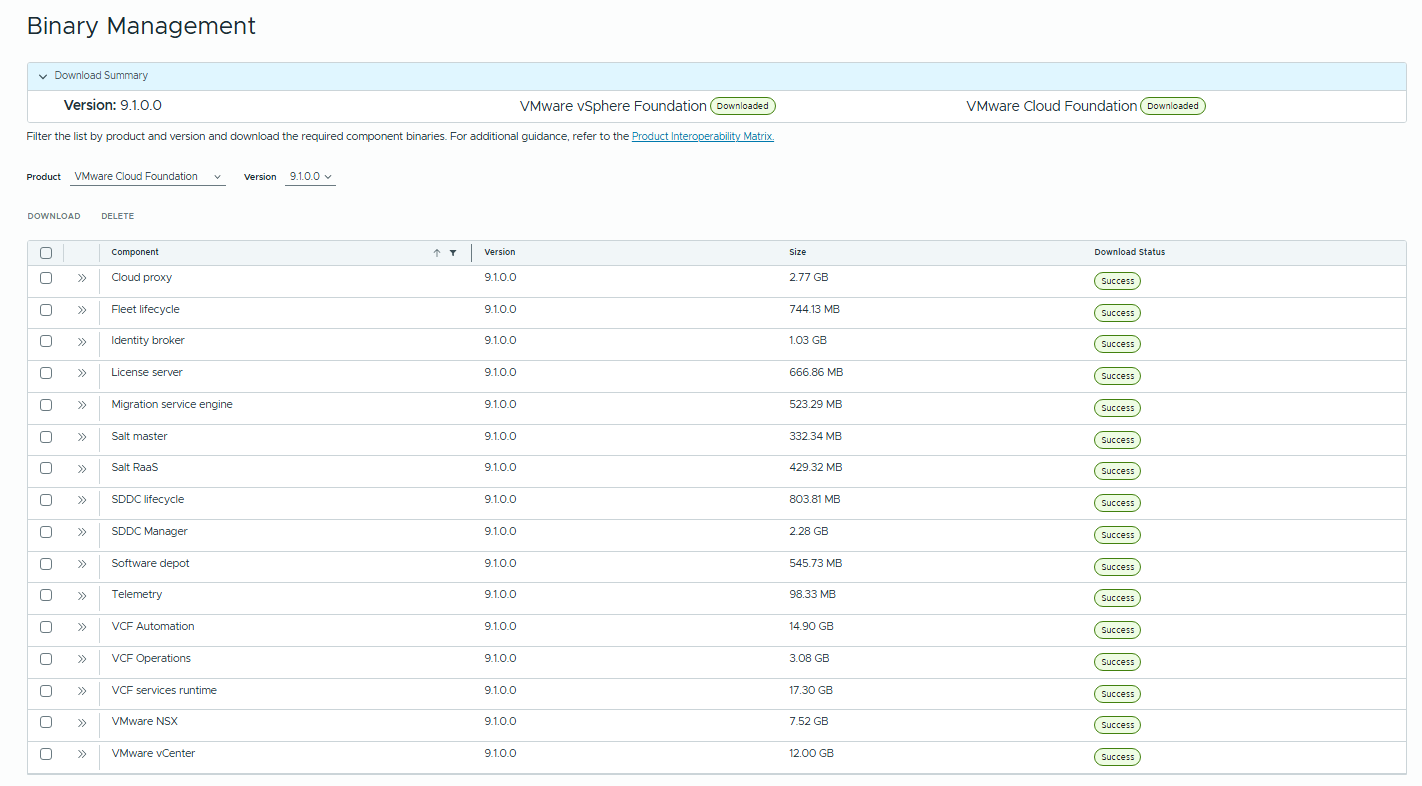
These are mostly for the new “VCF Management Services” layer, described below.
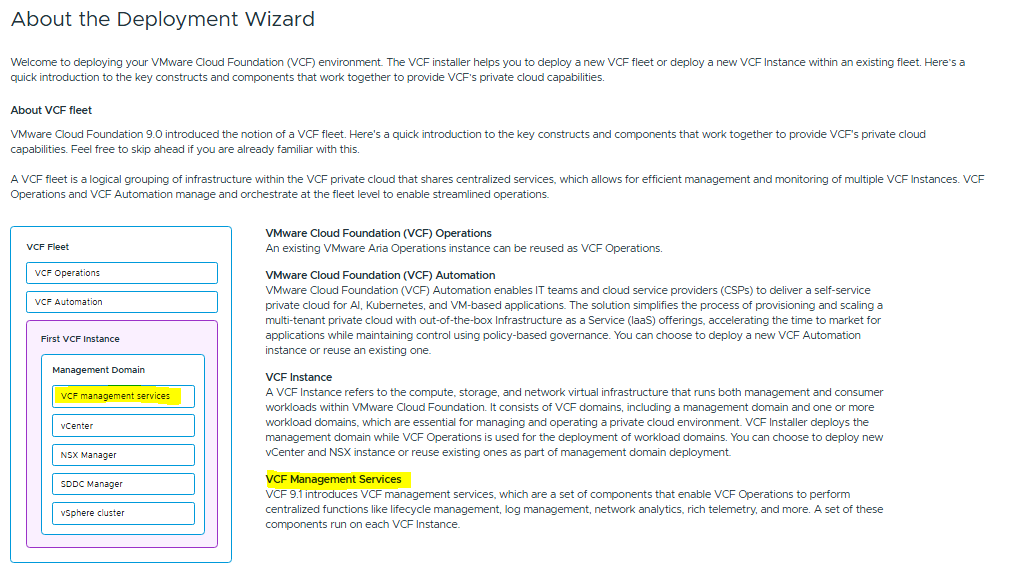
The installer has now been split into Plan/Prepare/Deploy steps.
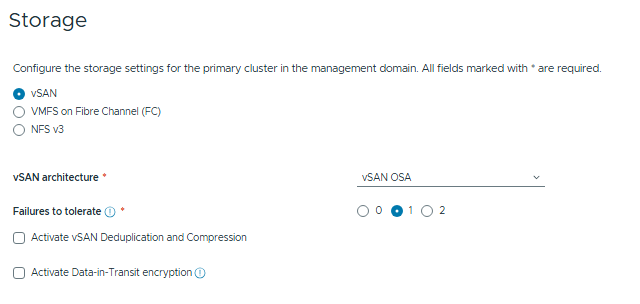
Under Plan, we’ll be setting the HA Modes, Network Options and Storage Type:
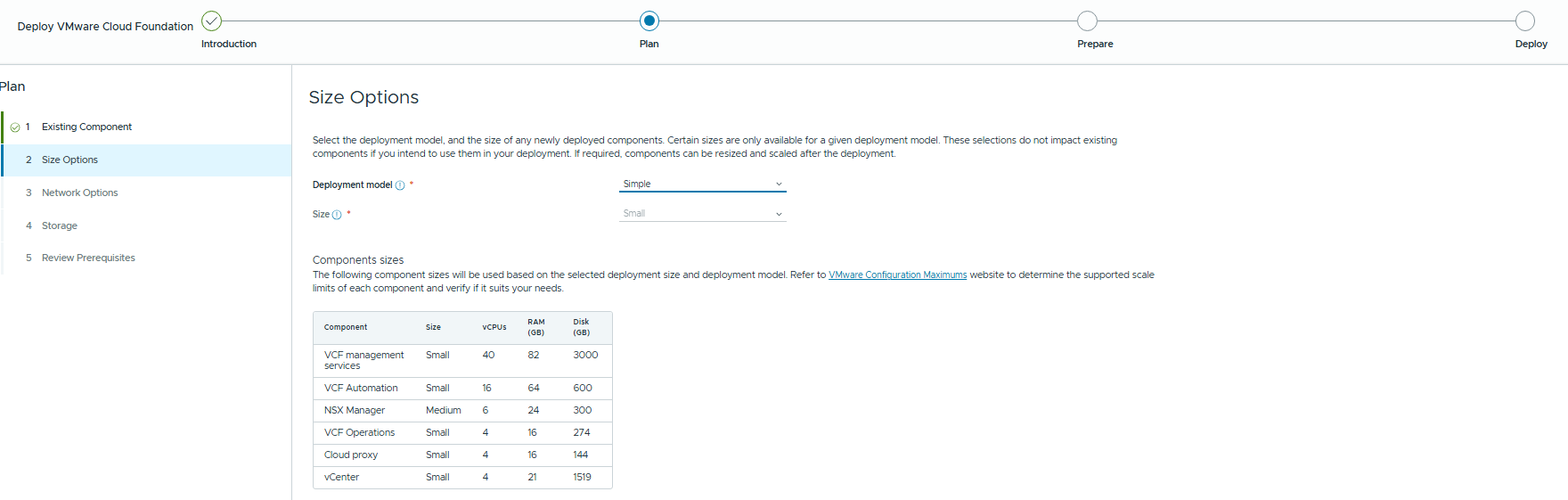
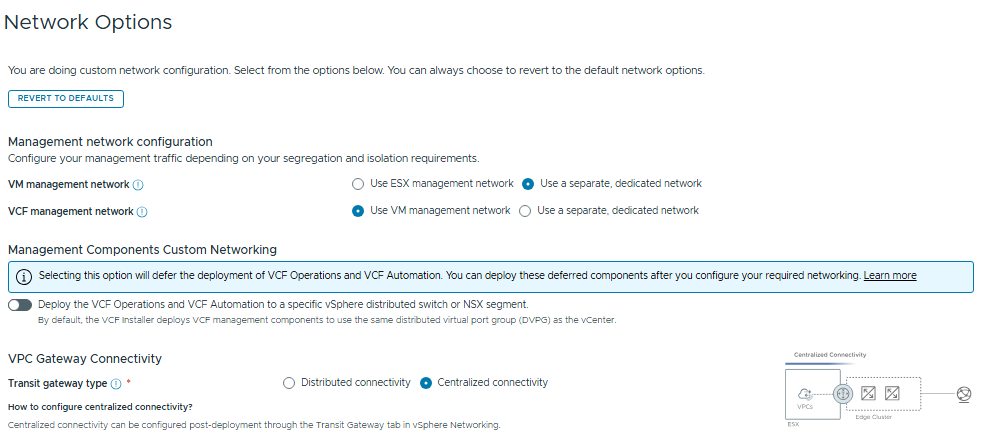
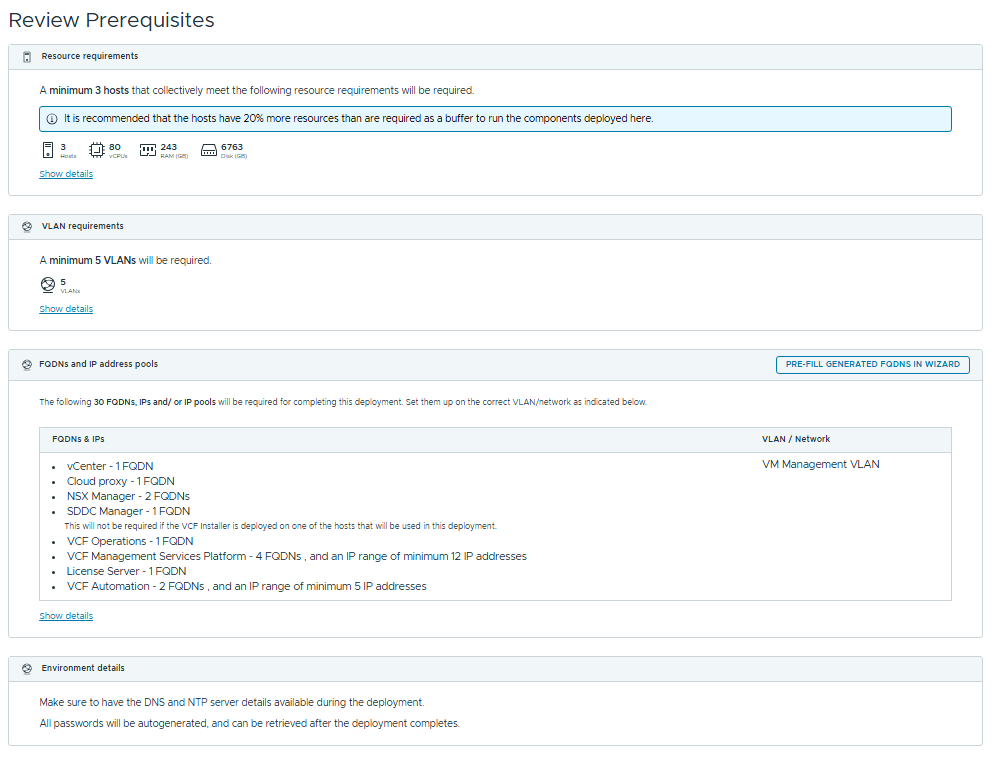
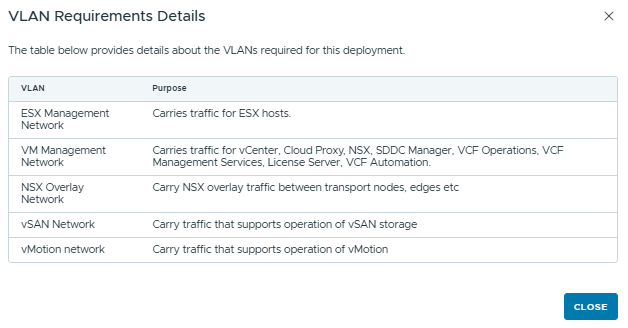
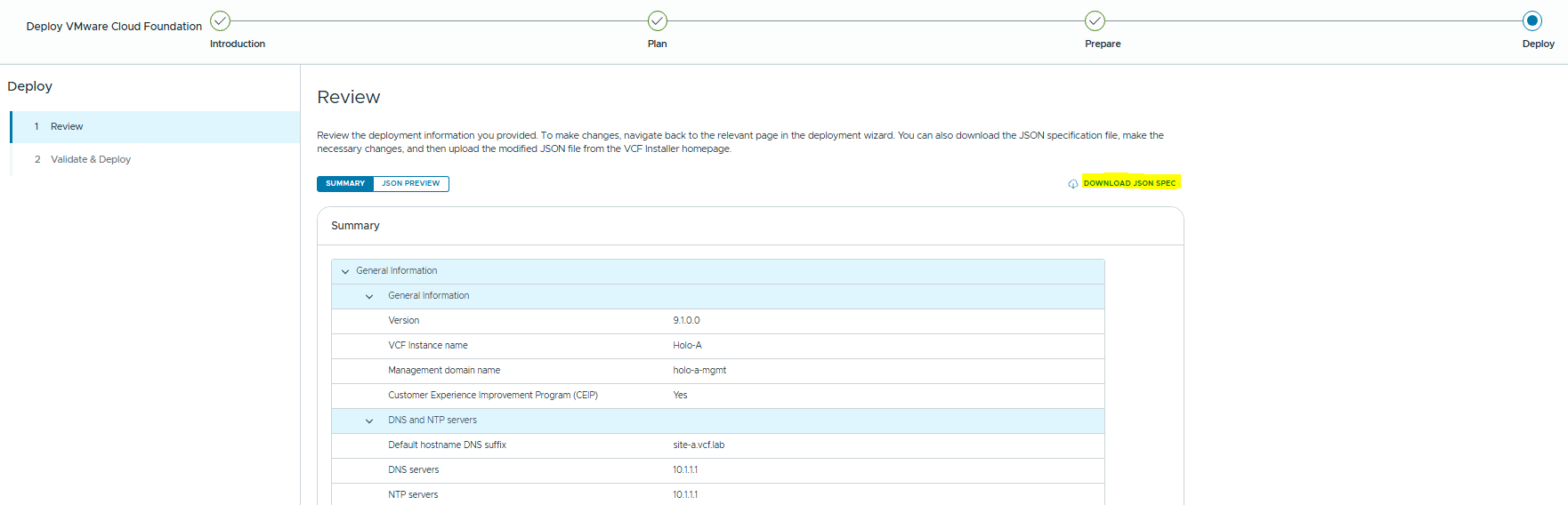
The review screen will show us planning detail that’s required for the deployment. You should have most of this covered off with the Planning and Preparation workbook prior to a deployment, it’s nice to have another reminder and some extended detail.
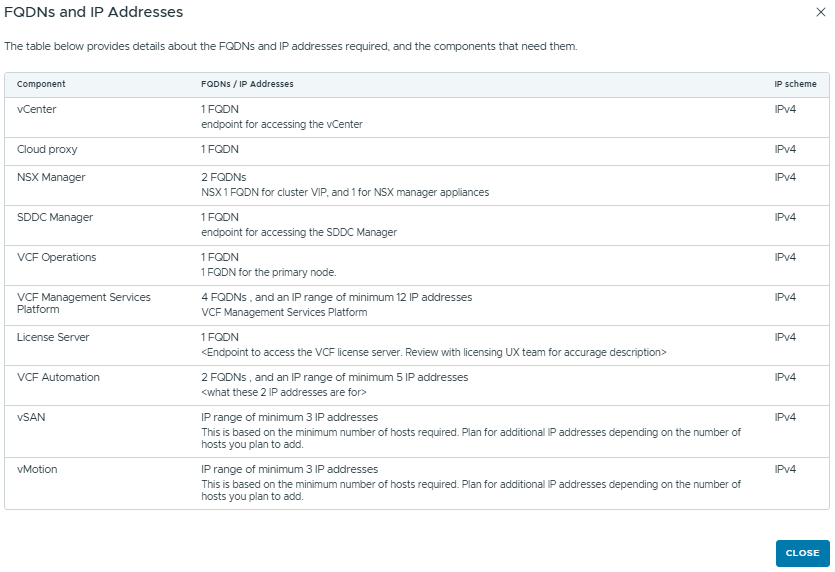
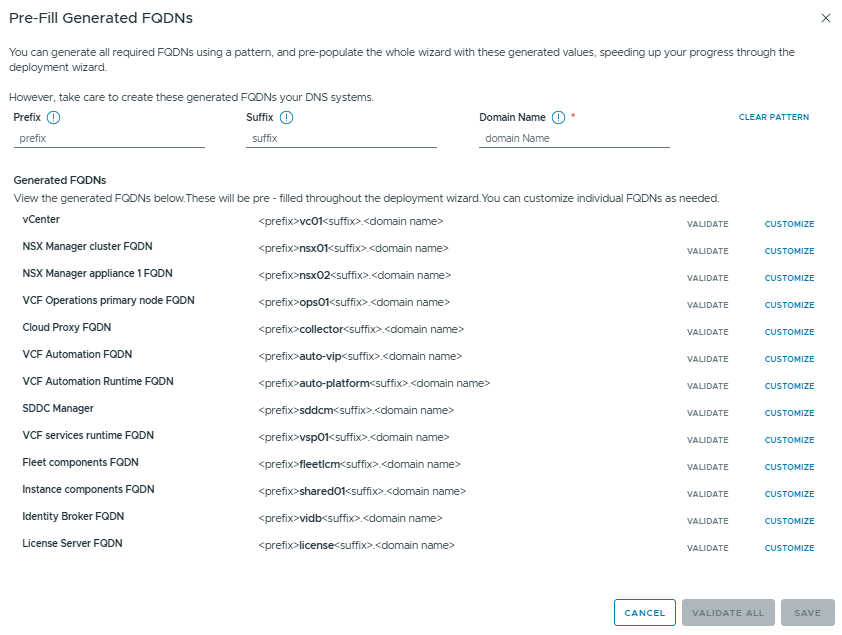
We also have a wizard to auto-allocate hostnames based on a prefix/suffix & domain name that you can define.
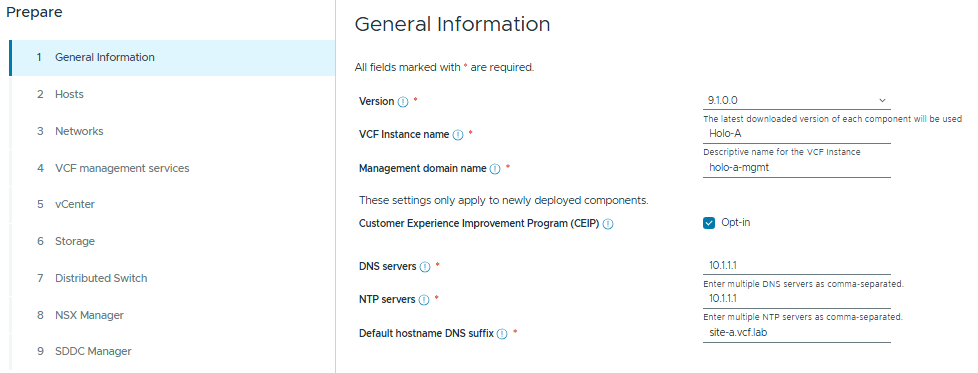
Now we move onto the Prepare phase – here we will enter all the info from the planning and prep workbook, I’ll be using the standard settings from a Holodeck deployment.
We add the hosts that will make up the management domain – I’m using 6x Nested ESX hosts, with 24 vCPU and 128GB Memory
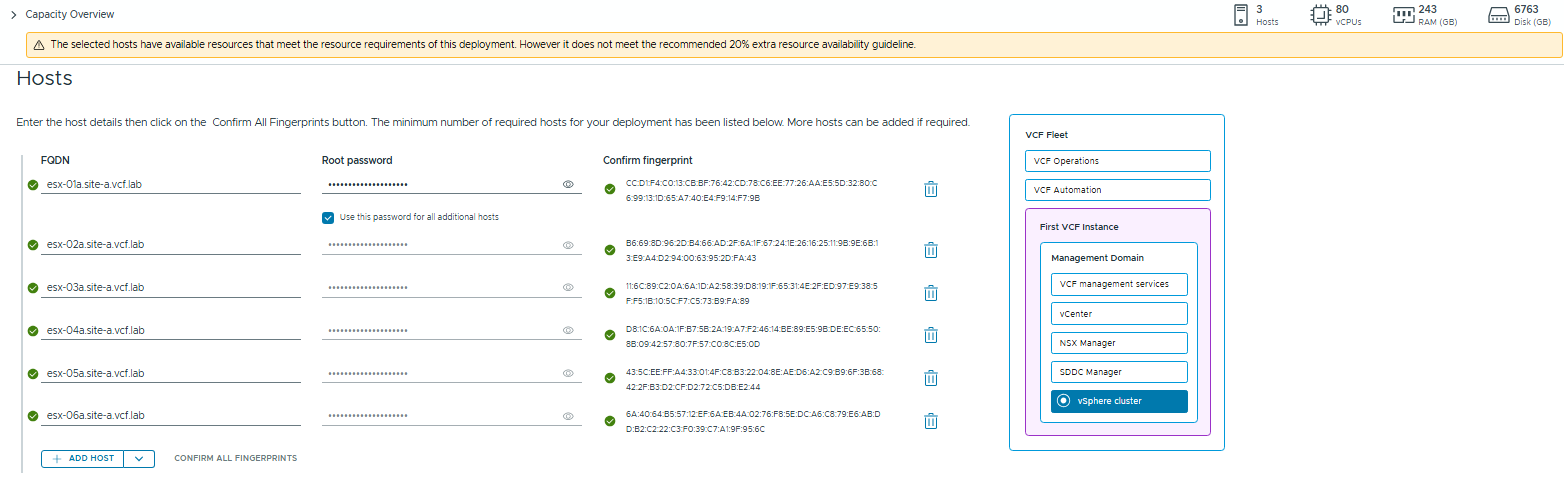
The new Capacity Overview section at the top shows detail about the minimum required capacity and how this aligns with your hardware spec:

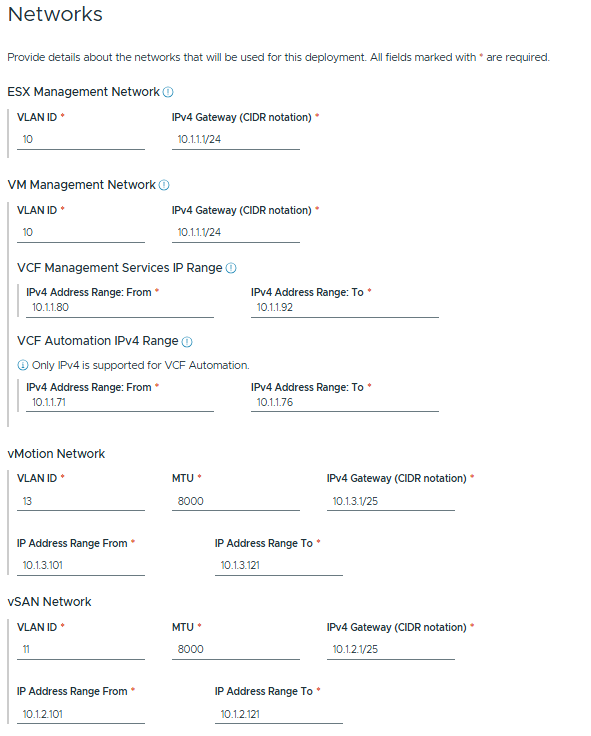
Now we set the network details. This example is using details from holo-site-a
Now we specify the FQDNs for the management services. These must be pre-created in your DNS server, the validity will be checked as they are entered.
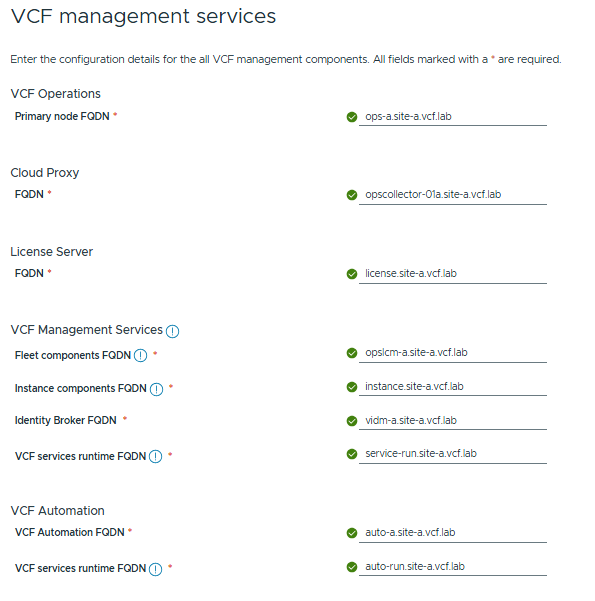
I’ve needed to create some new DNS entries in my environment for the new 9.1 services, as I’m still using Holodeck 9.0.2.
This will likely not be an issue once Holodeck 9.1 is GA and we have all the required DNS records in place.
PS /holodeck-runtime/specs> Set-HoloDeckDNSConfig -DNSRecord "10.1.1.230 license.site-a.vcf.lab"
15-04-2026 03:24:37 ESXBuild[5186]: [INFO] Configuring DNS Entries
15-04-2026 03:24:44 ESXBuild[5186]: [INFO] DNS configured successfully
PS /holodeck-runtime/specs> Set-HoloDeckDNSConfig -DNSRecord "10.1.1.231 service-run.site-a.vcf.lab"
15-04-2026 03:24:44 ESXBuild[5186]: [INFO] Configuring DNS Entries
15-04-2026 03:24:49 ESXBuild[5186]: [INFO] DNS configured successfully
PS /holodeck-runtime/specs> Set-HoloDeckDNSConfig -DNSRecord "10.1.1.232 auto-run.site-a.vcf.lab"
15-04-2026 03:24:51 ESXBuild[5186]: [INFO] Configuring DNS Entries
15-04-2026 03:24:56 ESXBuild[5186]: [INFO] DNS configured successfully
PS /holodeck-runtime/specs> Set-HoloDeckDNSConfig -DNSRecord "10.1.1.233 instance.site-a.vcf.lab"
15-04-2026 03:24:51 ESXBuild[5186]: [INFO] Configuring DNS Entries
15-04-2026 03:24:56 ESXBuild[5186]: [INFO] DNS configured successfully
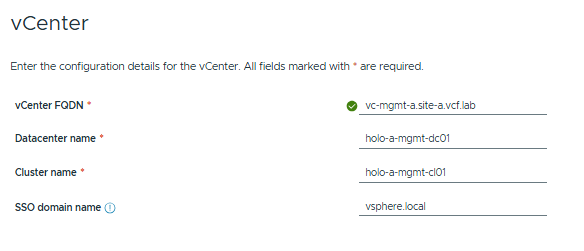
Next, enter the vCenter FQDN:
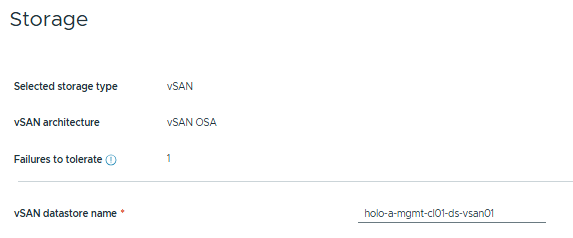
Validate the storage model and name the Datastore:
Now we’re onto networking. I’m going to configure this with the Storage Traffic Separation model.
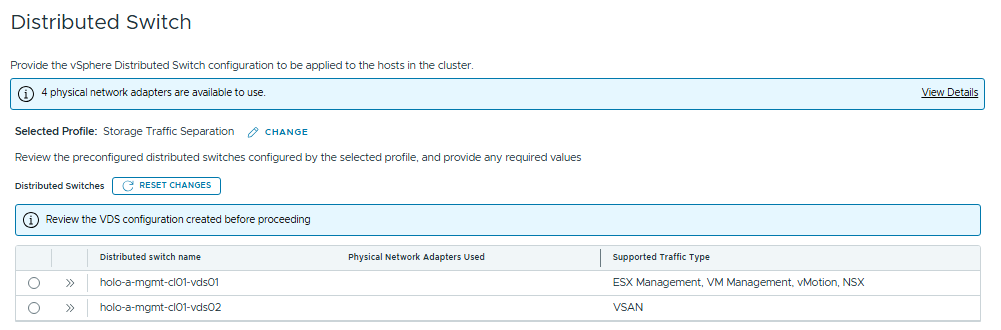
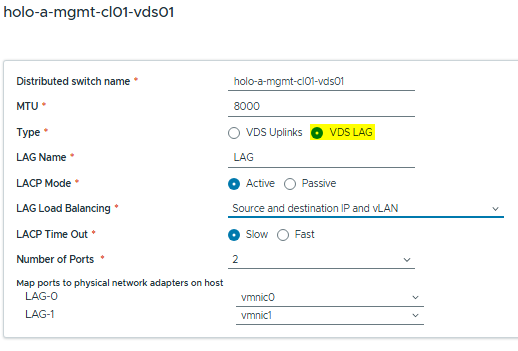
We have new functionality here to configure LAGs in the VCF Installer GUI.
Using LAGs is not recommended due to the added complexity of troubleshooting vs the performance gains, but some customers utilize this in specific use-cases.
Below is the LAG Config Wizard:
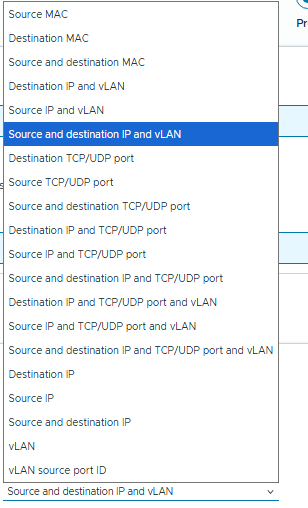
Hashing Algos:
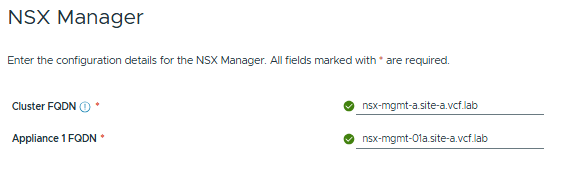
Now we configure NSX and SDDC Manager FQDNs:

Now finally, we’ll hit the review screen where we can download the JSON spec for your as-built doco, and start the validation process.
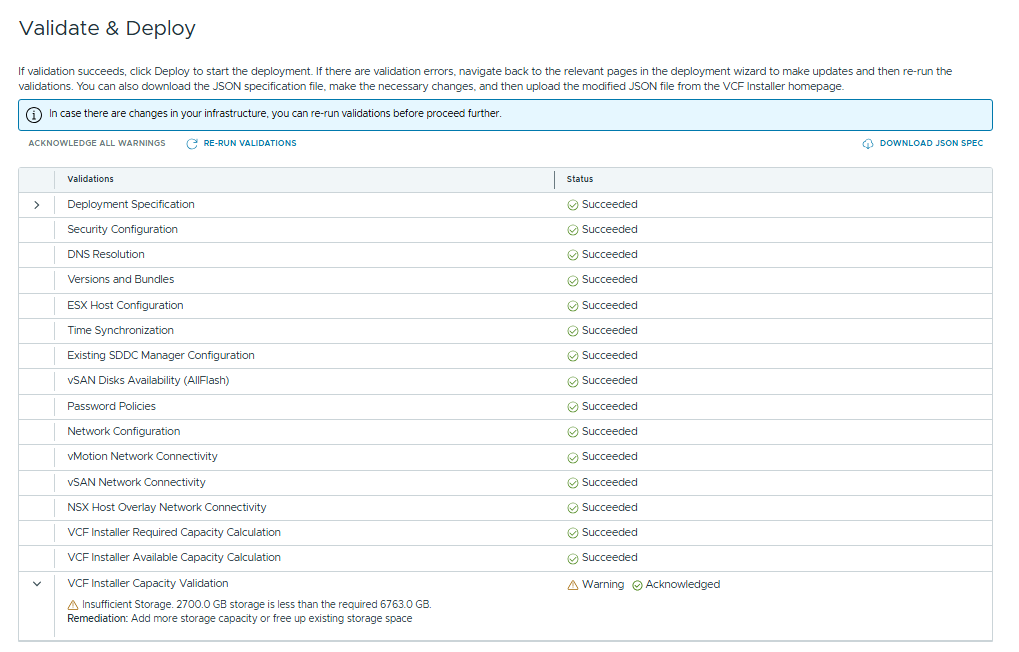
Now hopefully we’ll get a clean validation, and if all is ok we can proceed with the deployment.
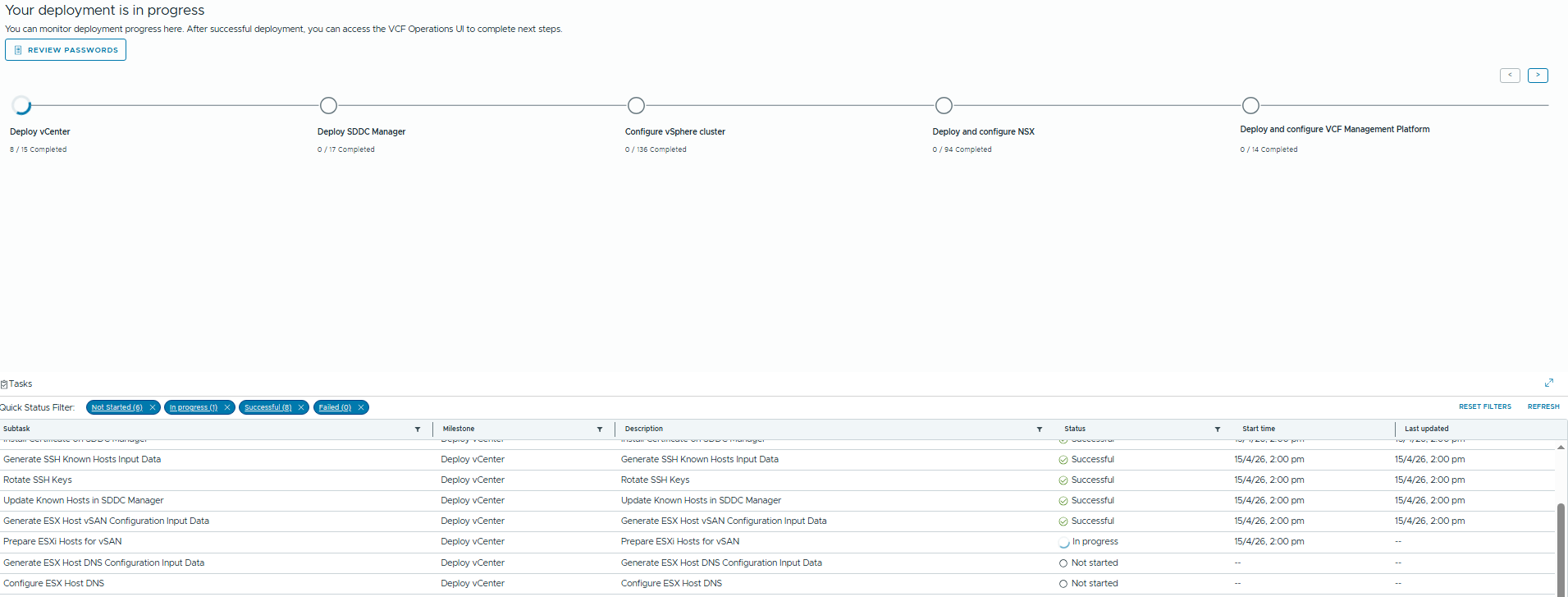
The new deployment screen shows each step, and we can click on each one to display the task breakdown at the bottom of the window.
We have a new step now to configure the VCF Services Cluster, I’ll cover this in a subsequent post.
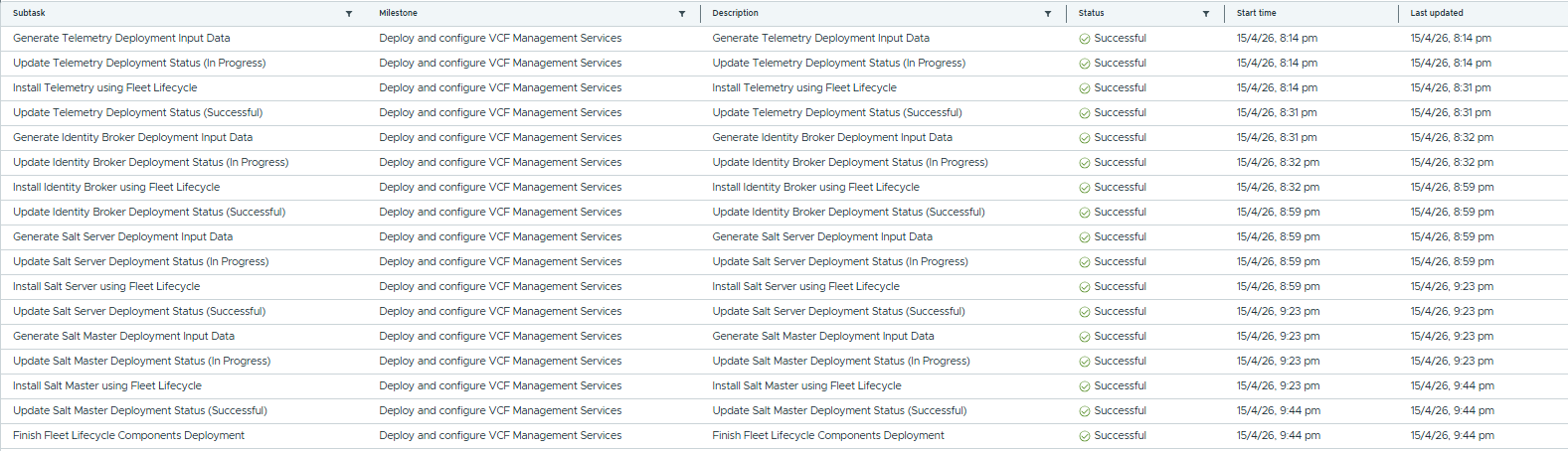
And we’re done. In upcoming posts I’ll cover some of the other new features of VCF 9.1
