ESX 9.1 Memory Tiering
The lab has been running out of memory with all the new requirements for VCF 9.1 services cluster, so it’s time for an upgrade!
I was tossing around a few options for the upgrade, I’ll detail below:
Buy more DDR4 Memory – lol, it’s way too expensive
Intel Optane DC-PMM – These Optane SSD modules plug into the Memory slots in your server, with much higher capacities than RAM. The idea is that you have a ratio of ~1:8 DRAM:Optane, the total Optane capacity is what shows as usable memory and the DRAM acts as a cache tier. I decided against this, as my memory slots are all full and I didn’t want to get rid of any actual RAM. Plus Optane DC-PMM support in ESX has been deprecated – not sure if it will still work going forward, but didn’t want to take the risk.
Install NVMe SSDs – My R640s are SAS models, so replacing the front drive chassis/backplanes/cable kits etc. was all too hard/expensive.
Install NVMe PCIe Card – This is what I went with. I purchased some Intel Optane P4800X 375GB cards for $AUD340each, which should give me another usable 350GB or so.
Let’s install the parts.
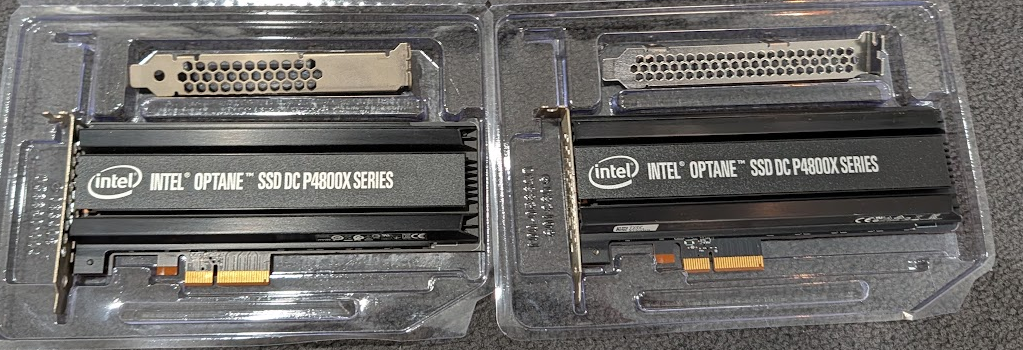
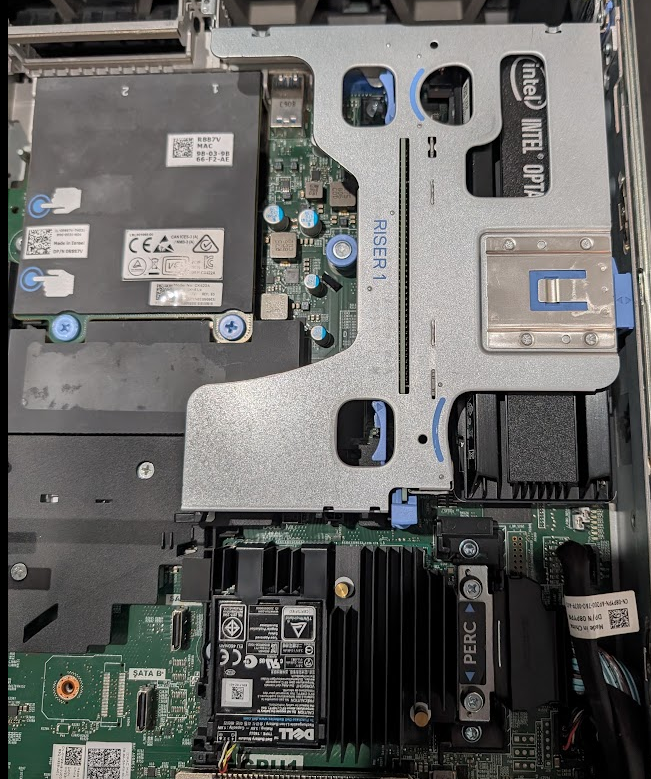
According to the Dell Service Manual, I have a Riser 1A configuration, so these cards should be installed in 1A-Slot 1
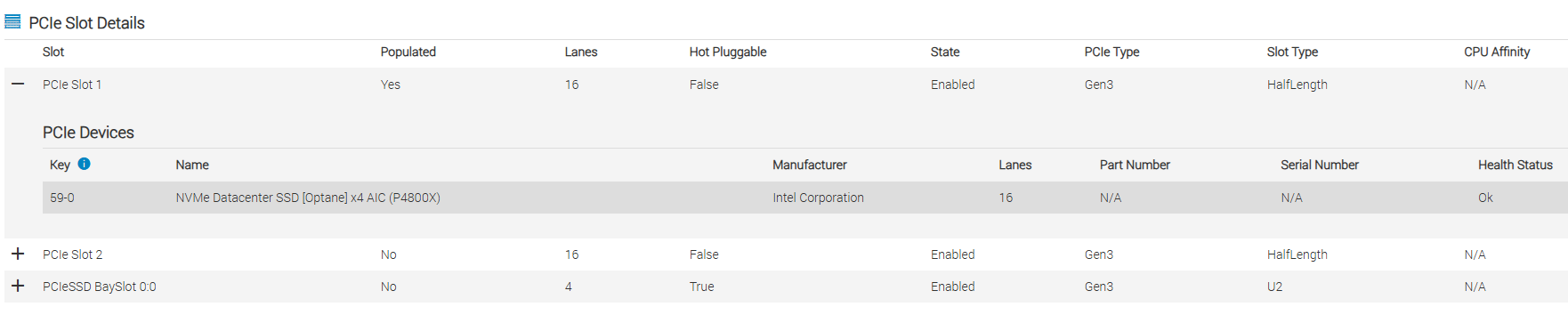
Hosts have booted successfully, I’ve confirmed there’s no new firmware updates and the device is visible in ESX – we’re ready to configure.

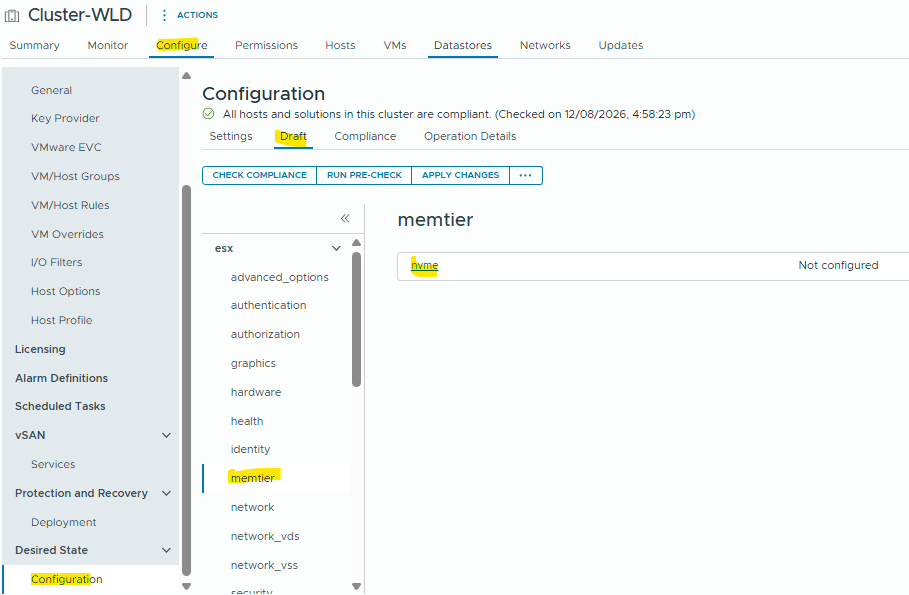
Now, I’m going to do this using Configuration Profiles / Desired State for the cluster as my 2 hosts have a uniform configuration. I’m following this documentation.
First we create a new config draft, and select the NVMe devices for each host.
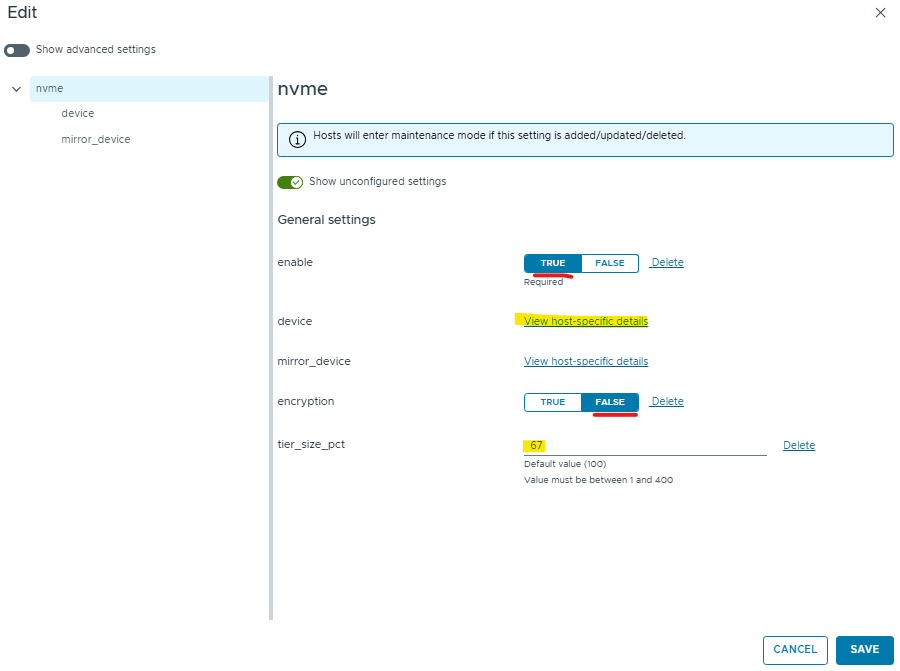
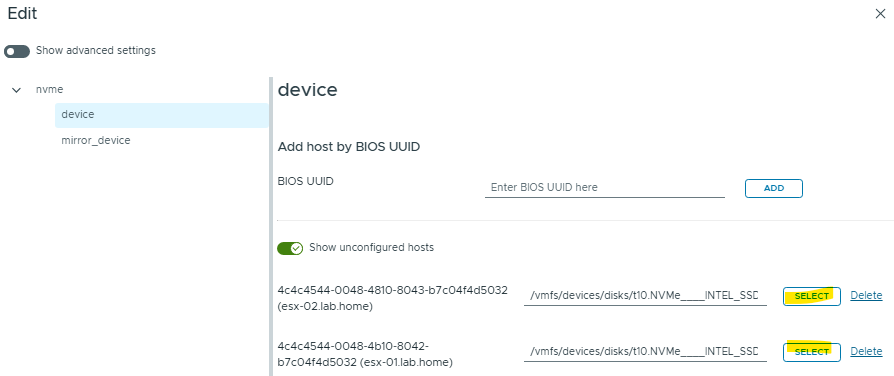
I’ve disabled encryption to minimise any performance impact on this old lab gear, and set a Tiering Percentage of 67% – 512GB physical memory * 0.67 = ~343GB which is pretty close to the usable capacity of the Optane NVMe card.
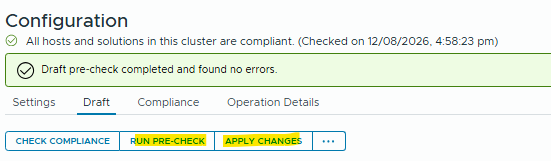
Now we’ve completed the draft config, we can save then run a pre-check and apply the config.
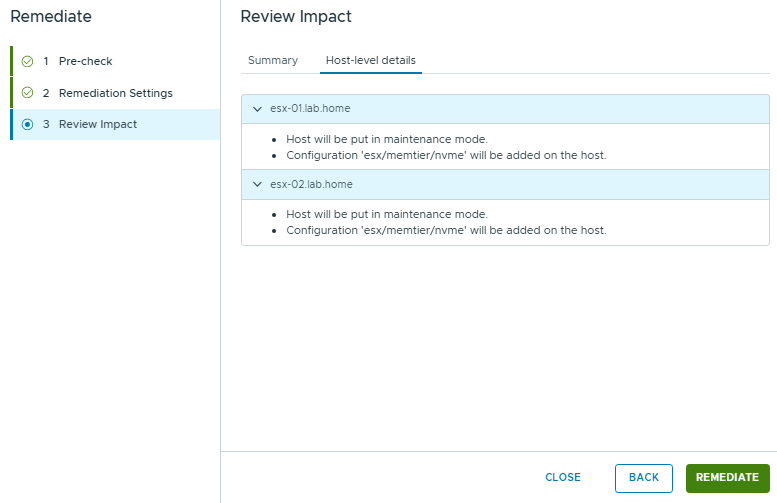
If we review the impact i’ll show us the memtier settings that will be applied to the hosts:
To validate, we can browse to the Host / Configuration / Hardware / Overview
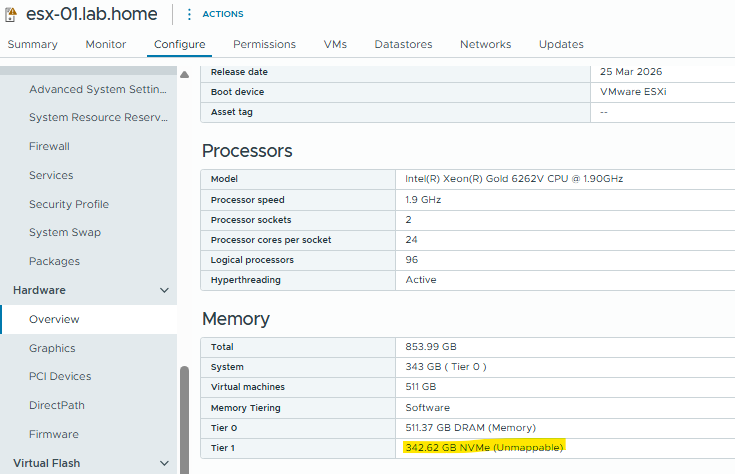
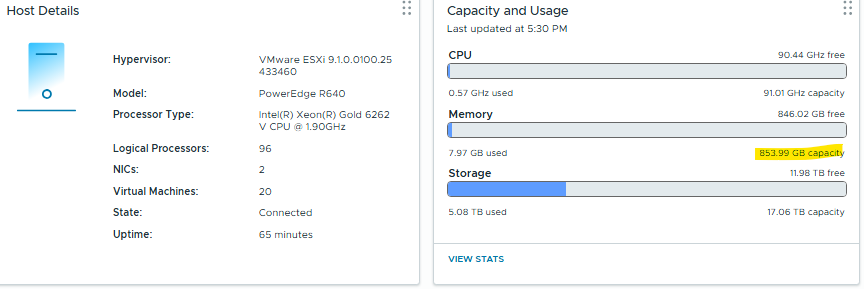
And we’ll see the memory capacity has increased from 512GB to 854GB
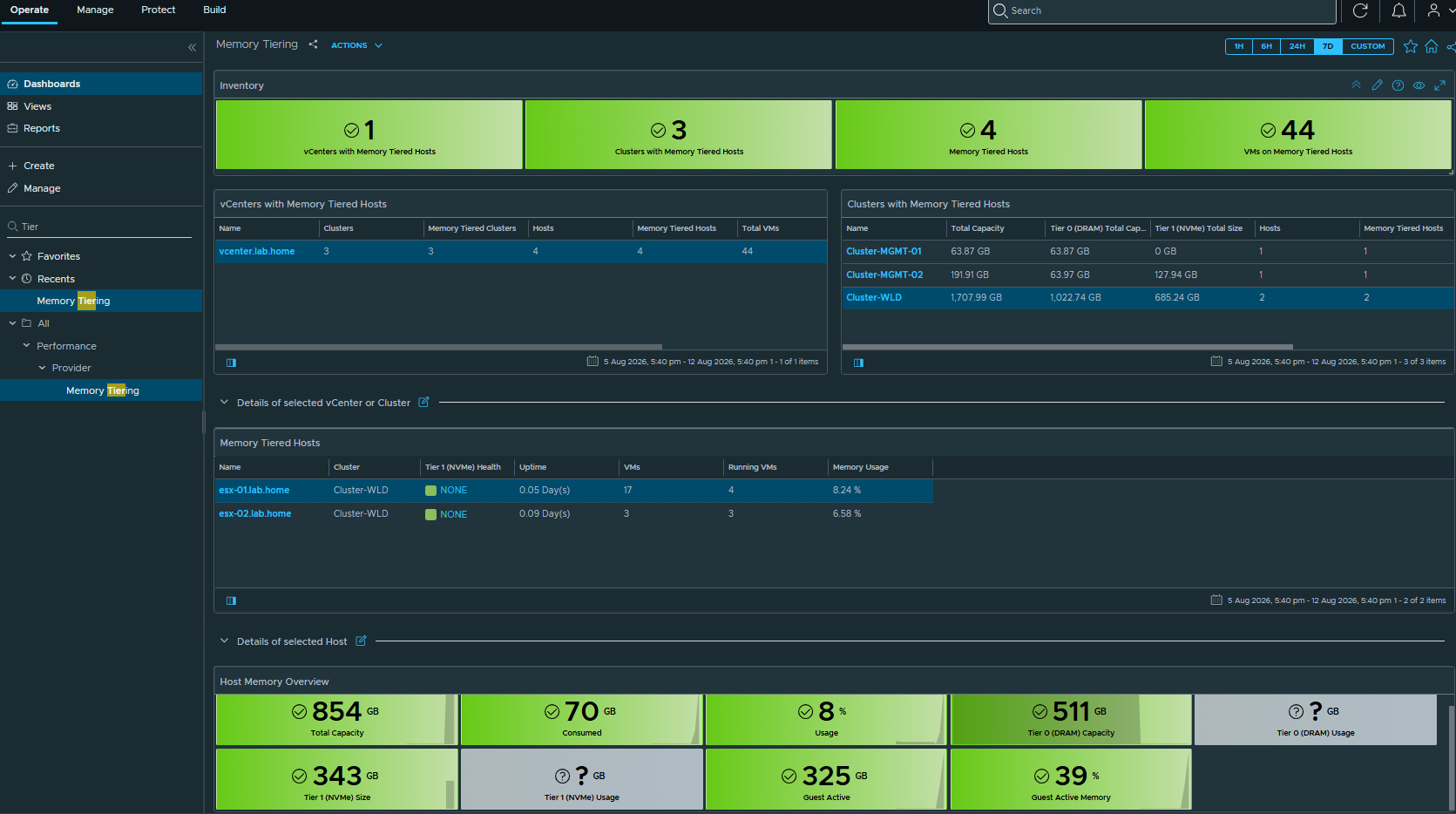
And to finish up, now with VCF 9.1 we have a new Memory Tiering dashboard to report the status and metrics around tiering efficiency.
That’s it for today’s post – hopefully this gives me a little more headroom to deploy more stuff!