VCF Security Services Platform (SSP) / vDefend Advanced Threat Protection – Part 1 (Deployment)
The VCF SSP is the next evolution of the NSX Application Platform that was available on version 4.x to enable functionality such as the Network Intrusion Detection/Prevention Services (IDS/IDP). Now we have some additional functionality such as real time security intelligence, malware prevention, traffic analysis and network metrics. Broadcom have just released the Lateral Security for VCF Validated Solution, so this seems like a good time to go over the platform deployment, and implement the VVS on a greenfield Holodeck lab.
This lateral security support is new in VCF9, this was a frequent request from some of my customers in large financial, and government institutions. They wanted to be able to secure Workload Domain vCenters with firewall rulesets to prevent any sort of lateral movement if a compromise occurs, primarily for perimeter/public/DMZ environments. VCF/NSX 9 has new functionality that allows us to use the Distributed Firewall (DFW) on Distributed Virtual PortGroups (dVPG), prior to VCF9 this could only be achieved on NSX Overlay or VLAN backed segments. So this means we can now apply DFW rules to our VCF Management Layer.
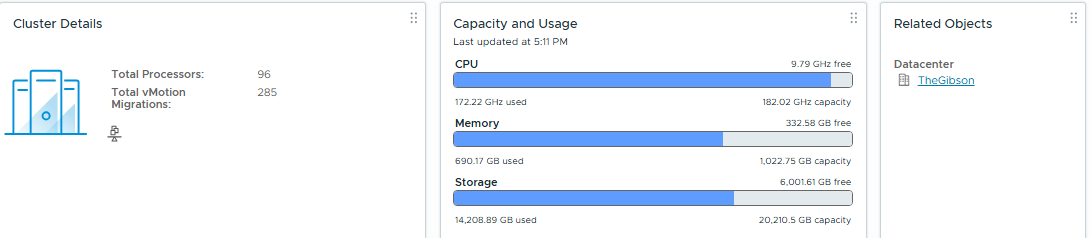
The SSP platform is a bit of a monster, this might be difficult for many to homelab unless you’ve got a large gibson. The minimum spec for a full feature deployment requires 3 Control Plane nodes, and 5 worker nodes, totalling 92 vCPU and 344GB of vMEM. Hopefully this post will help to give a preview of what the platform looks like, and the benefits it can bring.
My test lab is as follows:
Management Domain – 7 Nested Hosts, 24vCPU and 128GB each.
Workload Domain – 3 Nested Hosts, 12vCPU and 96GB each.
Aria Automation, and Ops for Logs have also been deployed. We’ll be using logs to validate the firewall rules.
The vDefend Firewall and ATP license keys have also already been added to the NSX Managers, this will be required before we can deploy.

Holodeck has some IP space reserved for Advanced Networking Services (ANS), but I’m going to modify this slightly, it doesn’t look to be 100% supported in Holo yet – hopefully an upcoming release will have some tweaks.
First up we’ll deploy the SSP Installer Appliance.
I’m going to use the IP 10.1.1.160 and VM name “ssp-i”
Once this has been deployed, it will act as the Manager for the SSP Instance – diagnostics, troubleshooting, and lifecycling will be performed from the Installer appliance, so it’s not just a temporary VM.
Then we will upload the SSP Package to the installer to deploy the platform.
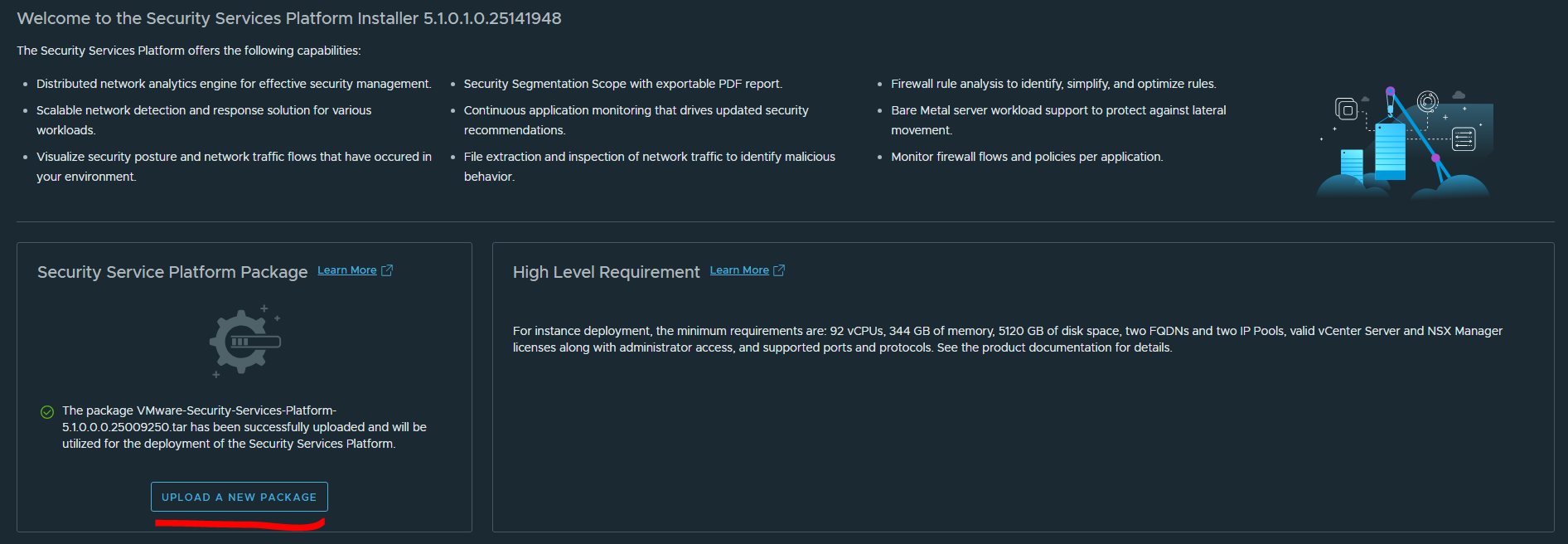
Now we can click “Get Started” to kick off the SSP Platform Deployment.
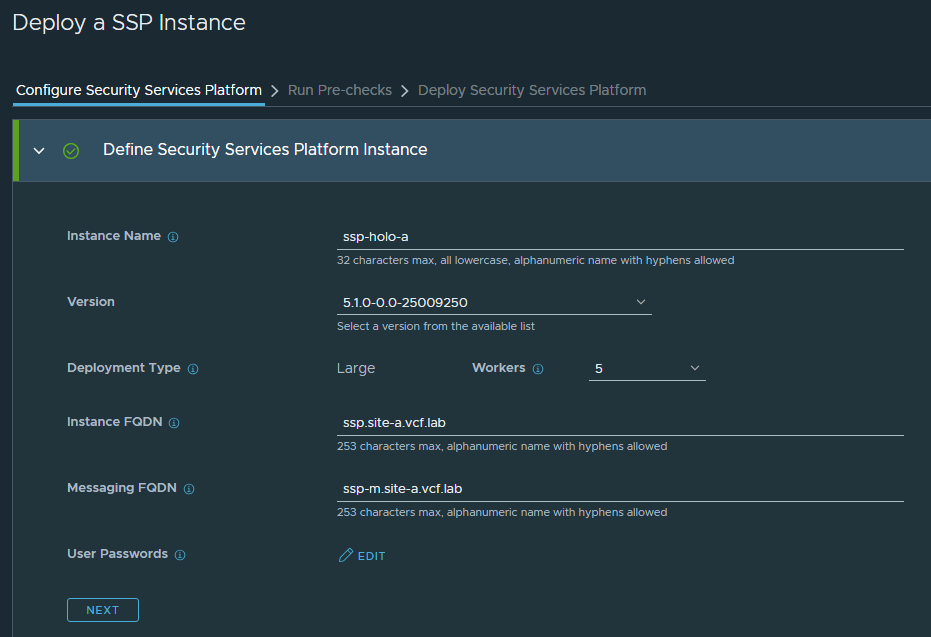
I have 2 DNS FQDNs created here, these must come from the “Service IP Pool” (Min 6 IPs / Max 12 IPs).
The ssp.site-a.vcf.lab must be the first IP in the pool, and ssp-m.site-a.vcf.lab will be the second. Note: The IP and DNS requirements are documented in the VVS here.
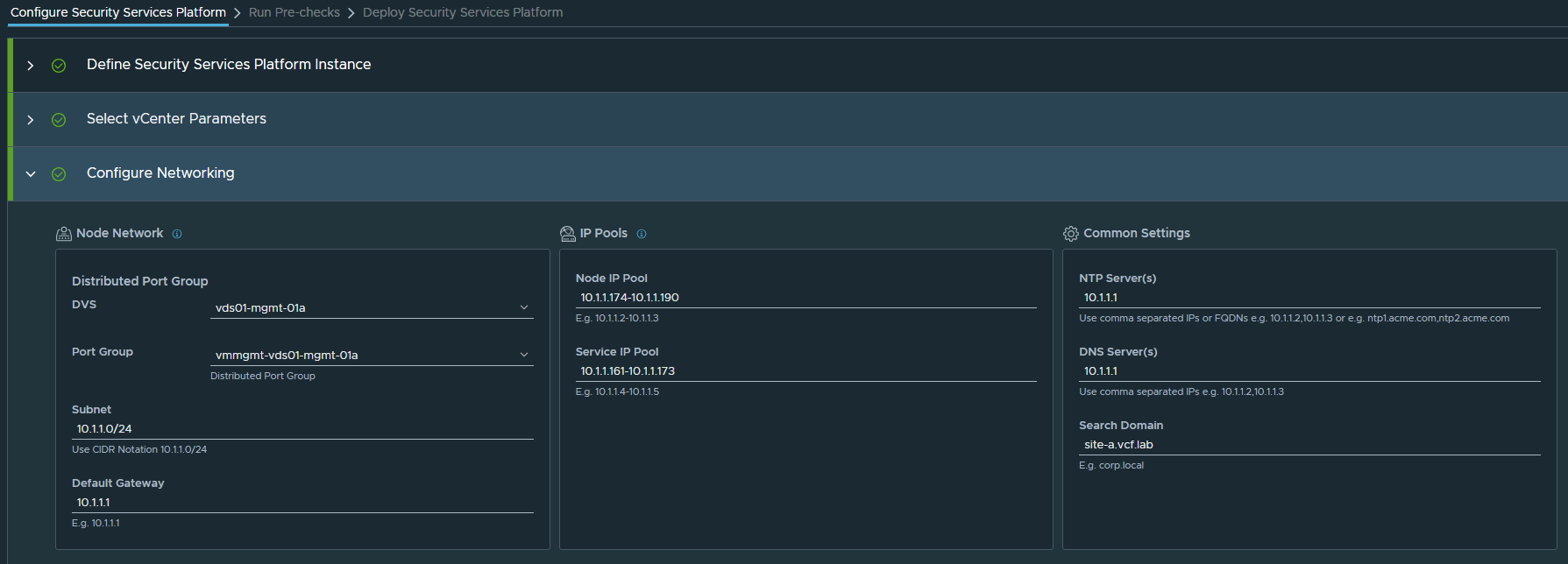
I’m going to spec the IP Pools for the maximum requirements as these cannot be changed later, so my Service Pool will be 10.1.1.161-10.1.1.173 and Node Pool will be 10.1.1.174-10.1.1.190
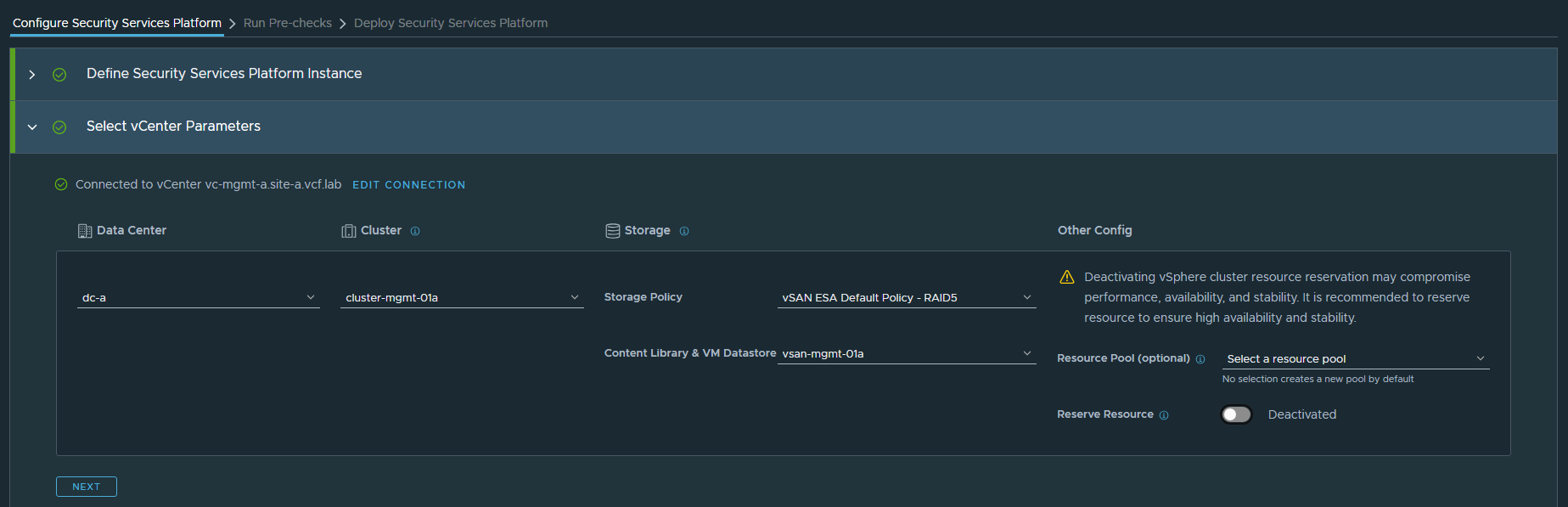
Now we configure the vCenter – this is where the SSP platform will be deployed, so I’m choosing the MGMT Domain. Reserve Resources has been disabled, as I mentioned before this app is a monster so I don’t want to dedicate every resource I have. In production environments, this will be much more important to ensure things like malware scanning / IDS-IPS can run with minimal performance impact to network traffic.
Lastly, we’ll configure the networking properties:
Click “Save and Proceed”. Now we can run the prechecks.
Prechecks are clear, except for a few warnings about available resources. Did I mention this was a monster? Since this is a lab, we’ll proceed. Again – I would advise against this in Prod environments.
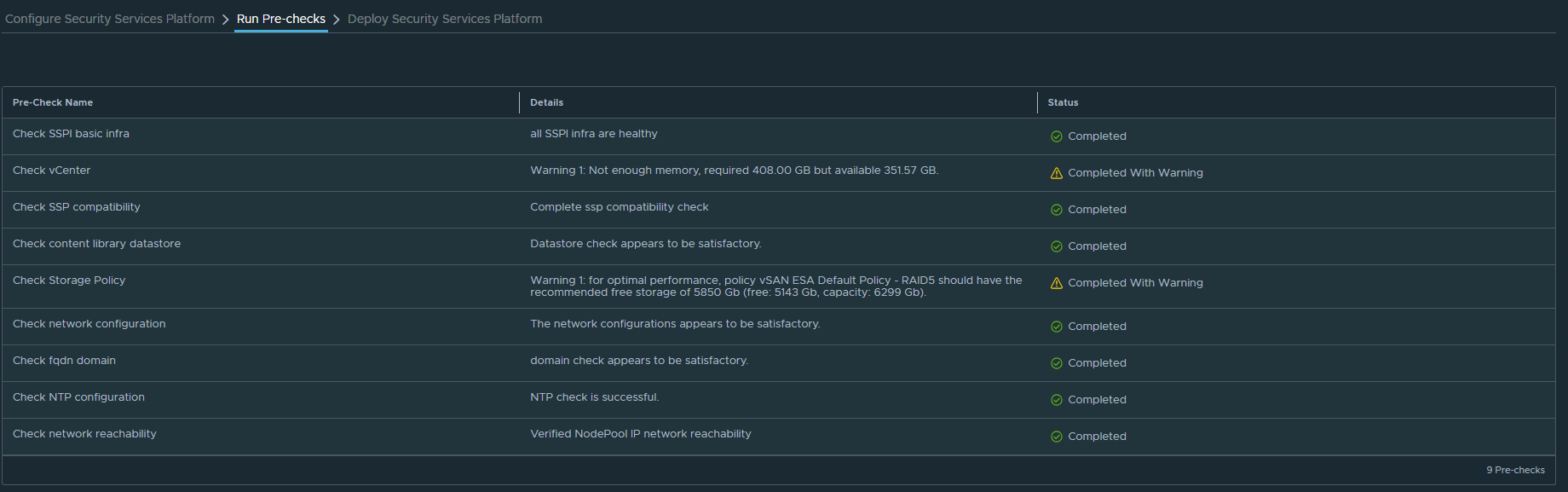
Now we can click “Start Deployment” and we’ll start rolling out the SSP cluster. This will be a 3x Node k8s Control Plane, with 5x Worker Nodes to run the SSP services.
When the deployment completes, we’ll have a new resource pool in the MGMT Cluster with a set of VMs to run the service.
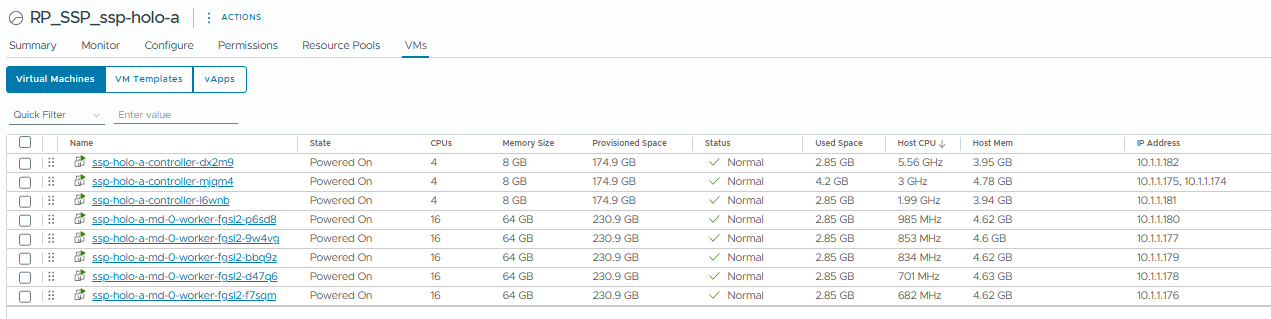
GIBSON IS HOLDING STEADY 
When the deployment completes, we’ll see the SSP Instance listed under instance management.
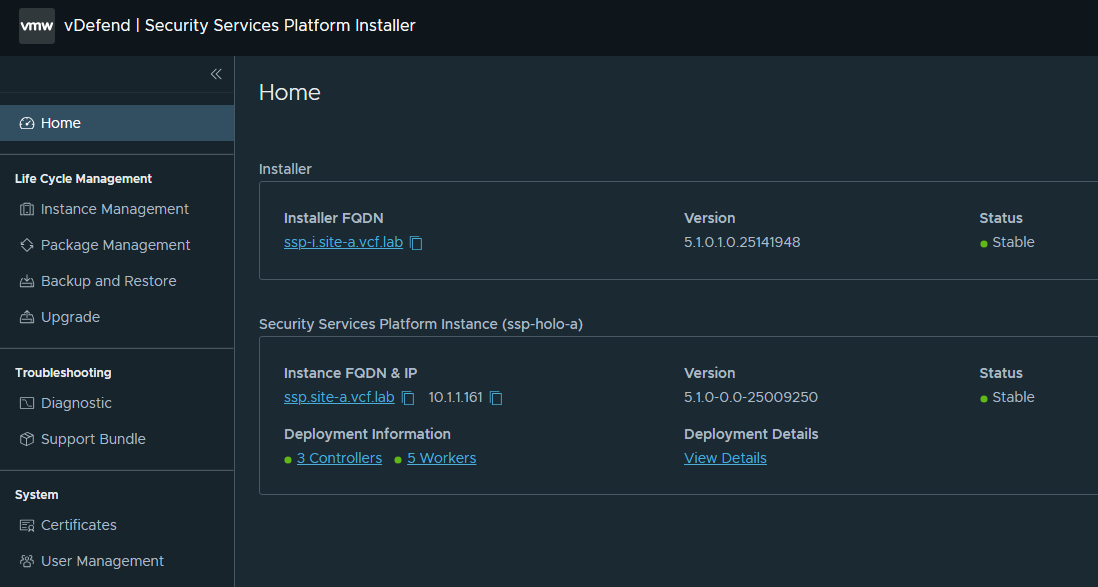
I mentioned earlier that the SSP Installer VM is NOT a temporary VM like the VCF Installer. We need to keep it around to manage the lifecycle, diagnostics and backup/restore of the SSP Platform. It’s also supported to run multiple instances of the SSP Platform – you may need to dedicate an instance to specific workload domains like DMZ/Perimeter, based on your organisational security policy/architecture patterns. The same installer can deploy and manage multiple SSP deployments.
We’re done with Part 1. In the next post I’ll cover the configuration of the SSP cluster & feature enablement.