Ubiquiti UniFi Management Pack for Aria Operations
I’ve been playing with the Aria Operations Management Pack Builder over the last week, and have started another educational/tech-demo to integrate Aria Operations with Ubiquiti UniFi.
This MP will give a quick overview of your UniFi environment, with interactive widgets.
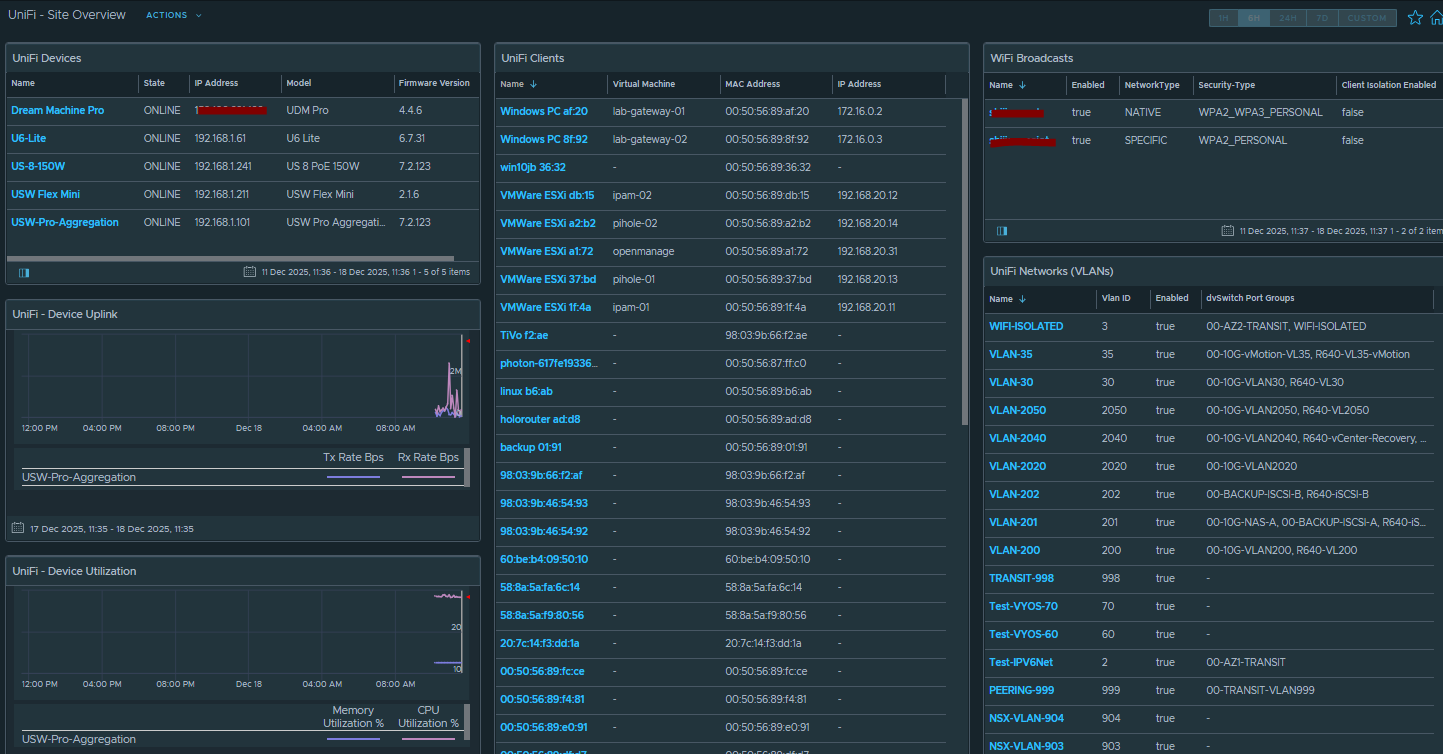
Selecting the UniFi device in the top left will populate the Uplink Graphs, Device Utilization and Connected Client List.
The Connected Client list will match the IP address to a Virtual Machine name if it exists in vSphere.
There’s also non-interactive widgets on the right to display the configured WiFi SSIDs and UniFi Networks, which are mapped to your vDS Port Group names in vSphere.
There’s some limitations at the moment which I’m trying to figure out:
I’m trying to map the Client MAC address to the Virtual Machine MAC address, but having problems getting this working. It seems the UniFi gateway only knows the client IP address if it’s also the router/gateway for the network. I use software routers for some of my internal nested lab stuff, so the UniFi VLANs are configured with 3rd Party Gateway – this means many of the clients don’t have IP addresses listed to establish a match in vSphere.
There doesn’t seem to be any interface bandwidth metrics exposed by the API, I’d like to add this in future but we need API support for that to be possible.
Download for this MP, and the MP Builder Design framework is available on my GitHub.
Installation Instructions
Download the management pack and views from the github.
Add the MP to the repository, then import the views.
You need to create an API Key in your UniFi Network App (Settings / Control Plane / Integrations
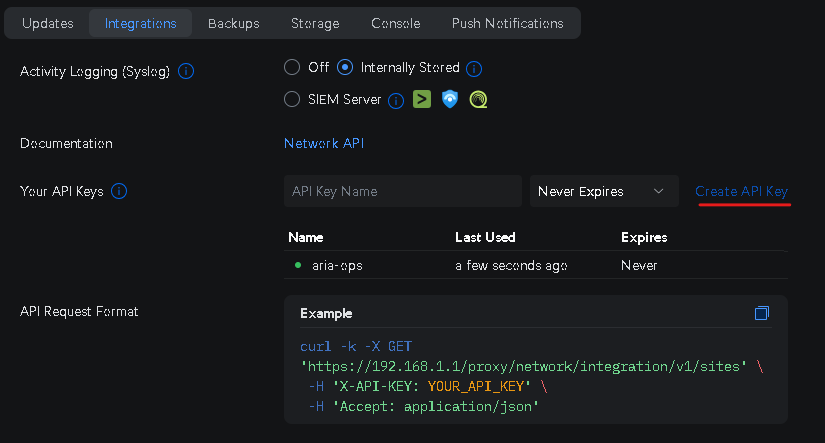
Now when you configure the Integration in Aria Ops you will provide that API Key as the authentication credential.
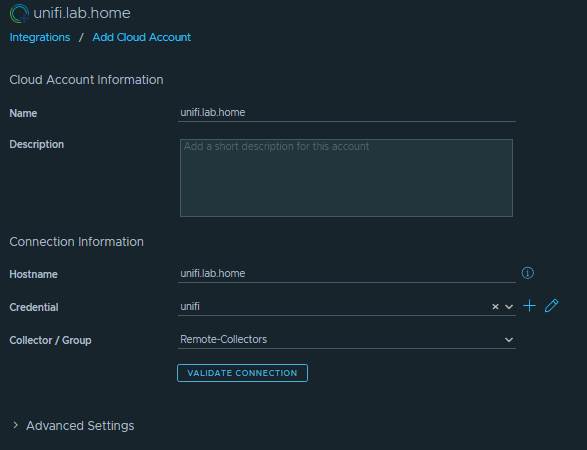
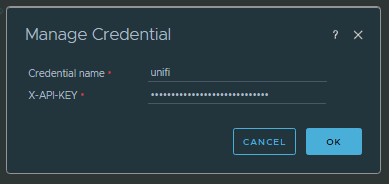
And that’s it. Once installed you should see a new dashboard called “UniFi – Site Overview”